Daily Limit Reached

Solution for sfdx package create error “couldn’t retrieve the design time component information for component”

(Formerly titled SOLVED! sfdx force:package:version:create -p error: We couldn’t retrieve the design time component information for component)

Now and then I find myself looking for what I expect to be a simple set of steps for what seems to be a common need and instead wind up on a Google journey that is frustrating as all heck. I hit a double-header in this area over the weekend (ironically, following the steps from my own post Get Hands-on with VS Code, Salesforce DX and Packages), and while the second annoyance is still annoying me the first part was resolved and I’m sharing that here. While I won’t make you repeat all the steps I went through to complete a 5 minute task in as many hours, I will share the path before the conclusion (tldr;).

Problem: running force:package:version:create -p to create an unlocked package for an app that has a dependency on a managed package results in an error “We couldn’t retrieve the design time component information for component [foo:bar]”.

Ok, simple enough. Add the managed package as a dependency. GiMF, so off I go and find https://salesforce.stackexchange.com/questions/236881/how-do-you-create-a-package-version-with-dependencies-on-both-2gp-and-1st-gen-ma which usefully points out I need to add the package as dependancy and some examples of what it looks like. Hmmm. I note a key requirement is the package ID. There examples clearly show the ID but no where in the thread does it mention how to get the ID. Down the search engine rabbit hole again to find https://developer.salesforce.com/docs/atlas.en-us.222.0.sfdx_dev.meta/sfdx_dev/sfdx_dev_unlocked_pkg_config_file.htm, which tells me exactly how to find it for my own packages, but not a hint of how to do this for a package from AppExchange. Continuing on… I find how to find the info using SOQL at https://developer.salesforce.com/docs/atlas.en-us.sfdx_dev.meta/sfdx_dev/sfdx_dev_unlocked_pkg_extract_dependency_info.htm, but, alas, still only good for my own packages.

Eventually I found this command (and, in all honesty, I was so frustrated by then that I lost the link where I found it):

sfdx force:package:installed:list -u [alias to org that has managed packaged installed]

Which rendered:

ID Package ID Package Name Namespace Package Version ID Version Name Version
------------------ ------------------ -------------------------- ------------ ------------------ ----------------- --------
0A375000000GsstCAC 0332E000000U76DQAS Launch Flow Modal sf_flowmodal 04t2E000003VsuMQAS Launch Flow Modal 1.14.0.1
0A375000000Gss2CAC 03330000000wDAbAAM Salesforce Connected Apps sf_com_apps 04t30000001DUvrAAG Winter '16 1.7.0.1
0A375000000GssoCAC 0333X0000006XwlQAE Enhanced Approval Requests ear 04t3X000002xUYTQA2 Summer 2021 1.10.0.1

And yay, I had what I needed to create the entry depencies entry for managed packages used by an unlocked package:

"dependencies": [
    {
        "subscriberPackageVersionId": "04t2E000003VsuMQAS"
    },
    {
        "subscriberPackageVersionId": "04t3X000002xUYTQA2"
    }
]

Basically. I actually would have preferred to find the 0Ho ID so I could also just use LATEST instead of the last digit of the version, but alas, time to move on to the remaining issue(s):

Picklist value: ...not found
Defined value not found

Which I am stopping on today because:

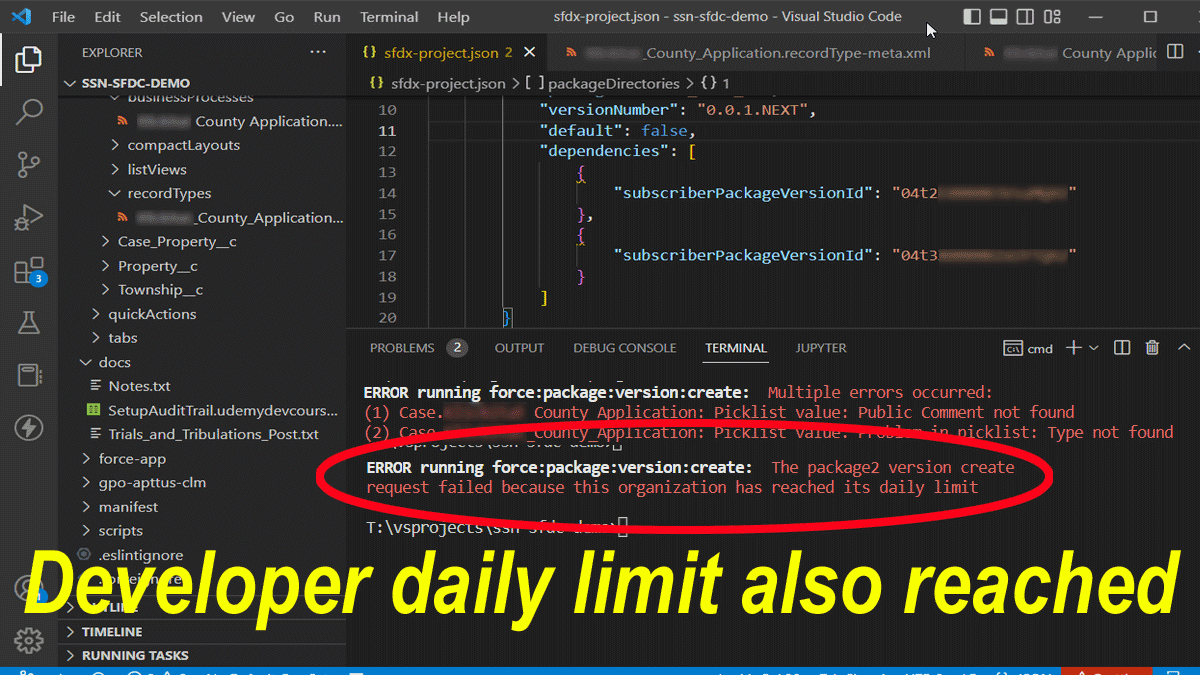
ERROR running force:package:version:create: The package2 version create request failed because this organization has reached its daily limit
Author has (also) reached its daily limit

In summary, to add a managed package as a dependency for an unlocked package:

With an org where the managed package is installed run the following:

sfdx force:package:installed:list -u [alias to org that has managed packaged installed]

Then add this to your sfdx-project.json under packageDirectories that contains your package:

"dependencies": [ { "subscriberPackageVersionId": "04tPACKAGEID" } ]

Where 04tPACKAGEID is the value returned from the CLI command.
If you found this interesting, please share.
sfdx cli versions.map-is-not-a-function

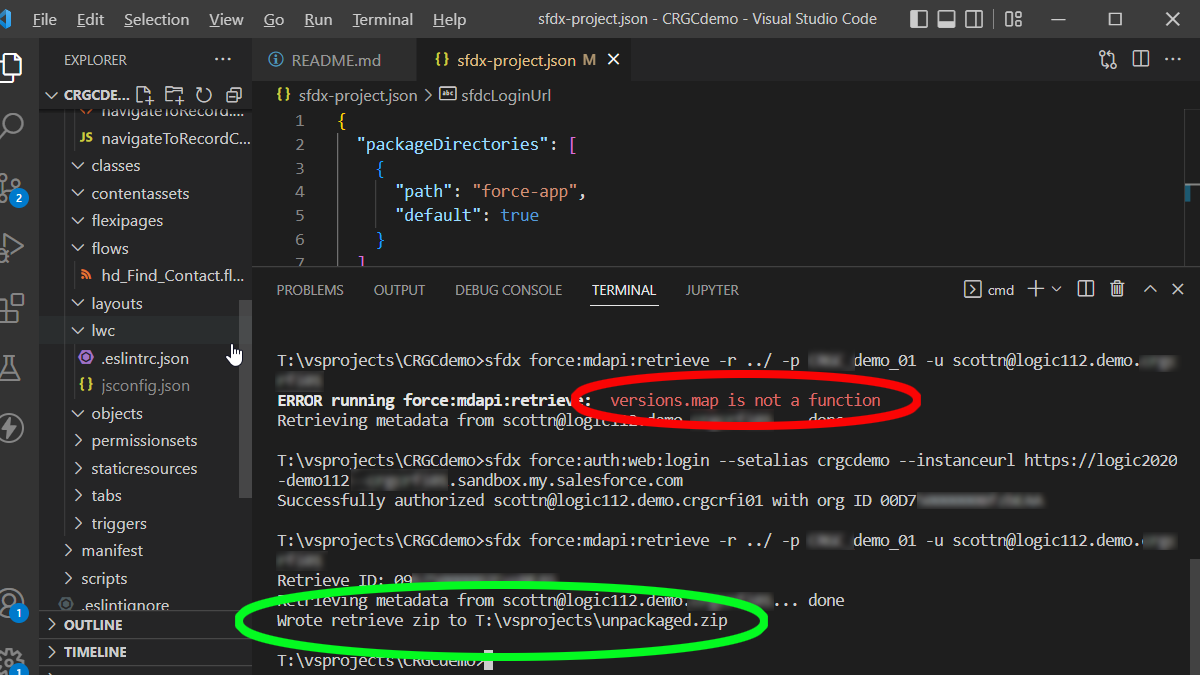
FIXED! ERROR running force:mdapi:retrieve: versions.map is not a function

Ran into this fun error message today when attempting to pull from a Salesforce sandbox from the CLI:

ERROR running force:mdapi:retrieve: versions.map is not a function

Most of what I found on the web was FUD and also about trying to push rather than pull. The comments all seem to agree it was related to the recent update for Enhanced Domains on Winter23-enabled sandboxes.

Fortunately for me, I had just added another org to my CLI. I was surprised at no approval prompt and it got me to thinking that I had probably authorized it before. So it occured to me that the fix may just be to run the authorization again, i.e.,

sfdx force:auth:web:login --setalias [ALIAS] --instanceurl [MY.DOMAIN.URL]

And that did the trick for me. Hope this helps others.

If you found this interesting, please share.
Hand raised above water

When in doubt, ask!

(Feature image by nikko macaspac on Unsplash)

I have seen more problems tolerated for extended periods simply because no one spoke up about it.

One example that often comes to mind is a 9 month project that I joined in the middle. The first thing I discovered is that deployments took several minutes. I also noticed that the the development environment would frequently lock up for extended periods. This had a serious impact on my productivity. This being the days of products targeting the latest result of Moore’s Law, I set up the environment on my recently-built home computer that night and everything ran perfectly.

What had happened is that the project was the first with a new version of a platform our company had been working with for a couple of years. The new version was much more resource intensive. The team had been struggling with this impact to productivity for months, which was why they were adding someone to the project mid-way through (and were far behind schedule).

Once I realized the issue, I immediately brought it up to management. Because no one  else on the team had brought it up over the previous months they assumed it was just me. So I told management that I would work from home until they provided the team with updated development hardware.

It took 6 weeks of my not coming to the office and out-producing the rest of the team by a huge margin for them to realize that 1) I was not kidding about it being intolerable and 2) the increase in productivity would more than pay for the hardware.

The folks that were struggling all that time just assumed that management was aware of their problem (and, worse, didn’t care). It made their lives unpleasant for months and cost the company 10’s of thousands of dollars because no one spoke up.

I get that sometimes people don’t want to bring up issues because they don’t want the attention, or don’t want to appear ignorant or needy. If you are concerned about that, just don’t ask in a meeting. Pull the person that can do something about it aside and ask them one on one. They will usually either have a good answer for you, or will do something to help you. If they don’t, look for the next person to ask.

If you found this interesting, please share.

#TIL: How to Present PowerPoint Slide Show in a Resizable Window

Full screen is great if you don’t need notes. Until today, if I need notes I just minimized the tools and gutter while presenting. And then I discovered this:


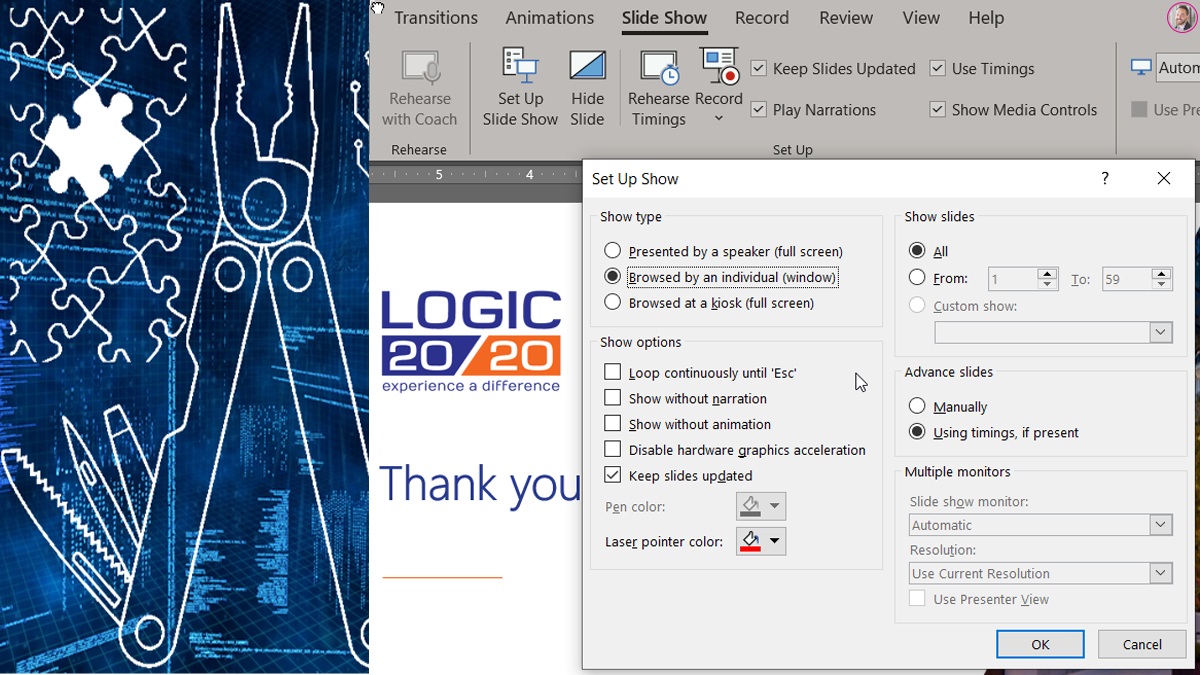
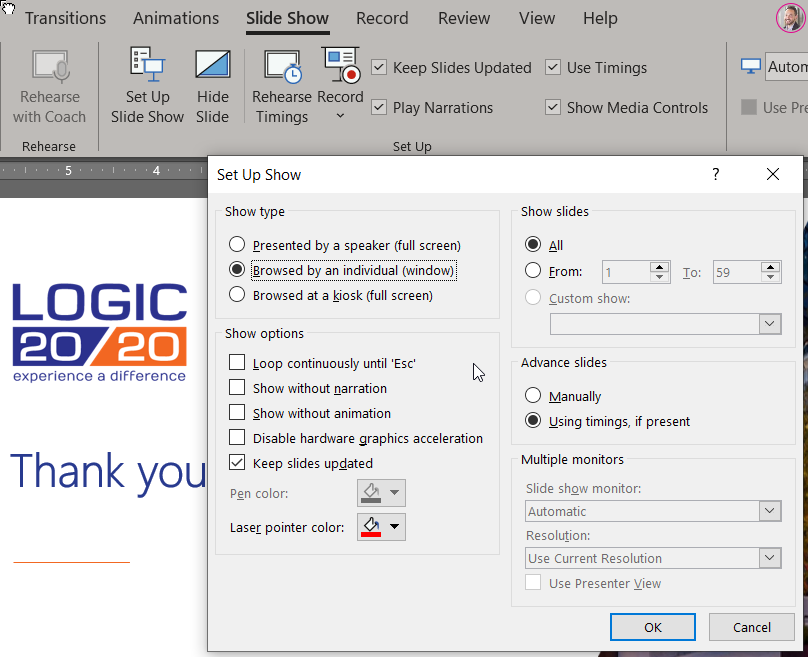
Slide Show > Set Up Slide Show > Browsed by an individual (window)


If you found this interesting, please share.
Different Browsers for Different Profiles

Chrome Extensions on Edge

In a musing mood this morning, so tldr;

… so I took the 18 seconds to go research and found that all you gotta do is go to the chrome web store and installed it from there. [imagine forehead slap here].

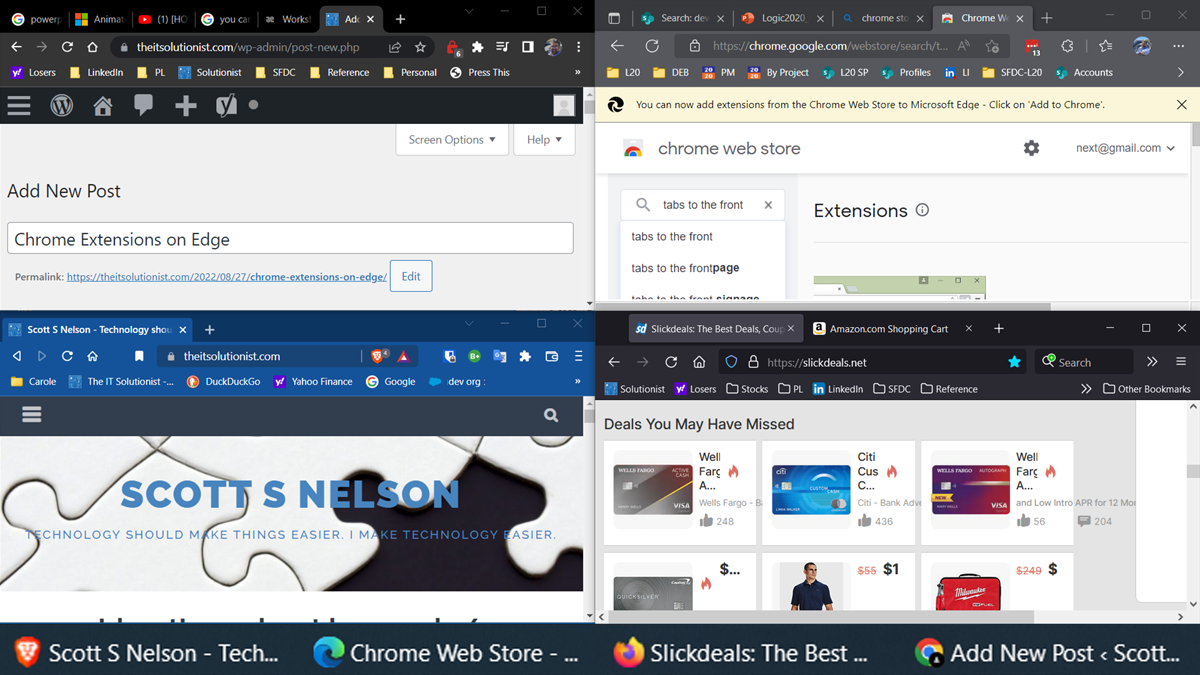
As both a consultant and tech enthusiast, I have multiple profiles that would clash in a single browser. One solution to profile proliferation is using multiple browser, each dedicated the a particular profile (especially useful for profiles based on Microsoft authentication). All of the chrome-based browsers have made this easier as they function generally the same, making it seamless to switch back and forth with the style reminding which context I am in.

A key feature for any browser is tabs, and one behavior I have grown used to is that opening a new tab should switch to that tab immediately. Other than sketchy tracking pages and lazy session tracking I expect the reason for a tab to open is to view the contents. Doubly so when I purposely open to a new tab. To this end, I always install Tabs to the Front. When I started using Edge (v2, once they switched to being chrome-based and worked on the worst of the kinks) the chrome store is where it took you for extensions. At some point, it switched, and removed my extensions. Some I could find in the Edge Add-ons, but many were not there. This became extra annoying to me today when I was setting up a new laptop, so I took the 18 seconds to go research and found that all you gotta do is go to the chrome web store and installed it from there. [imagine forehead slap here].


If you found this interesting, please share.