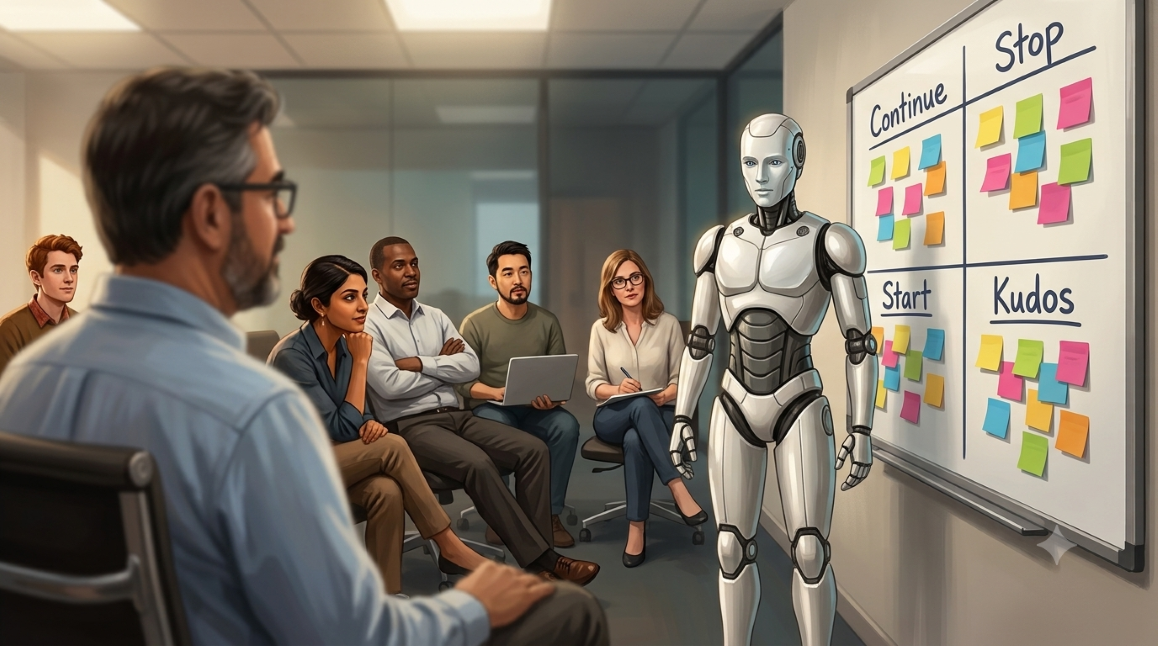
TL;DR: The Sprint Retrospective would be the most valuable ceremony in Scrum…if it weren’t also the one with the worst follow-through. AI can run the same ceremony and actually keep the results, because the lesson gets loaded before the next session instead of filed and forgotten. It’s a simple habit to learn, and there are plenty of free examples of how to automate it. It’s a small investment of time and thought that pays real dividends in productivity and confidence.
The Ceremony That Everyone Likes and Nobody Finishes
The 2020 Scrum Guide puts the Sprint Retrospective at the end of the Sprint, timeboxed to three hours for a one-month Sprint (not that many places do one-month Sprints anymore, or allot three hours for improving things). The process is simple: provide a safe space where people can speak their mind about what went well, what didn’t, and how they would change things to be better in the next Sprint. The goal is to capture ways to increase quality and effectiveness while reducing friction and wasted time.
In theory it’s the smartest ceremony of any SDLC. A room full of people who just lived through the same thing, comparing notes while it’s fresh, with permission to say what actually happened.
I was introduced to this ceremony before Agile approaches were common in the enterprise. We ran it after a major release, and I found the process very enlightening. Someone wrote up a summary of the findings and posted it on the company intranet.
This was a long time ago. Years later I remembered that document and got curious about whether anyone had ever gone back to it.
I was the only one who ever looked at it again.
I can’t recall a single piece of wisdom it captured. Not one. What I do remember is the aura of “this makes so much sense” when we discussed the stickies on the wall. And that the same mistakes were repeated across later projects, many with some of the same people in the room who had sat through the meeting where we agreed not to make them again. Sigh.
What Happens to the Findings
Follow the output and the pattern is easy to see.
Some items become real assignments. Someone owns it, someone completes it, and the team is measurably better off. That’s a real win and it’s worth saying so.
The problem is, it is too often a one-off win. The task closes. It’s checked off and moved to Done. Then the same thing comes up three Sprints later. Or the next Sprint.
Because the good stuff that gets surfaced in a retro isn’t something that can be fixed with a story. It’s a lesson. “We committed before we understood the integration.” “We let the staging environment drift.” “We assumed the client would review in three days and they took three weeks.” Those aren’t tickets. They’re rules for how to behave next time, and there is nowhere to put them where people will remember them (yes, there’s an exception, for those who are already ahead of the game with a living PROJECT.md, aka CLAUDE.md, AGENTS.md, or whatever your favorite harness uses).
So they go into a document. Which goes onto an intranet page. Which nobody opens during the next project, because during the next project everyone is busy doing the next project.
The retrospective produces knowledge with no delivery mechanism. Six weeks later a new team, or the same team with two new people, walks into the identical wall and holds an identical meeting about it. We call that continuous improvement. It’s closer to continuous rediscovery.
That failure, organizations not learning from their own experience even after making the capture of lessons a required part of the process, is a big part of why the Best Practices section on this site exists at all.
Run the Same Ceremony, by Hand
Now try it with AI at the end of a working session. At its most basic, this is two prompts.
Review this session. What worked, what didn't, what should change next time?
Give it to me as Start, Stop, Continue.
Start doing this, stop doing that, keep doing this other thing. Read what comes back, edit anything that’s wrong or too vague to act on, then:
Save that to memory and apply it going forward.That’s the entire ceremony. Under two minutes, no tooling, no setup. (YMMV on the prompt, depending on your type and style of work…BWTM)
Here’s the part that changes everything. It doesn’t file the lesson. It applies it, every time, forever. Next session, and every session after that, those rules are loaded before the first word of work gets done. There is no folder, no onboarding deck, no hoping somebody remembers. The correction is simply in effect.
And it updates. Session ten refines what session three concluded. A rule that turned out to be wrong gets replaced instead of quietly ignored.
Same ceremony. Same format. The difference is entirely in what happens after the meeting ends.
The productivity gain is obvious enough. The part that sneaks up on you is the confidence. After a few weeks you stop bracing for the mistake you already corrected once, because it doesn’t come back.
The Gap Was Never Honesty
The lesson here isn’t that AI is disciplined and people are sloppy. People are perfectly capable of discipline. What people don’t have is a place to put a lesson where it will find them again at the moment they need it.
That’s the gap the retrospective has always had. Not insight. Distribution.
AI closes it almost by accident, because persistent memory is just how the thing works. The lesson arrives in the same channel as the work, automatically. You don’t have to remember to go check.
Which reframes a lot of process failures. Most of the time the problem isn’t that we didn’t learn. It’s that the learning had no route back into the work.
Almost Nobody Does This
Here’s the honest part. Very few people take the time to run a retrospective on their AI sessions, and fewer still do it consistently.
It isn’t hard and it isn’t slow, which is exactly what makes it easy to skip. Two minutes is nothing. Two minutes you never spend is also nothing, and it’s what most people land on by about the third busy week. The ceremony that depends on remembering to hold it is the ceremony that quietly stops happening, which is the same failure mode as the intranet page, just faster.
That’s the argument for automating the capture rather than relying on the habit.
You Don’t Have to Invent This
Run it by hand for a few weeks first, though. You want a feel for what a useful captured lesson looks like before you hand the job to something that writes them without asking, because you’ll be reviewing that output later and you need to be able to spot a bad one. Automated capture drifts. It records the frustrated aside instead of the actual rule, or it generalizes a one-off into a standing instruction. Doing it manually first is how you learn to recognize that when you see it.
And you don’t have to tune that prompt from scratch, or build the automation yourself either. There’s an entire cottage industry of shared instruction sets, skills, and rule files built to automate this loop, and most of them are free and MIT-licensed. Read a few and you’ll find better phrasing than mine sitting right there in someone’s repo.
claude-reflect is the most widely adopted of the ones I found. Hooks watch your prompts for correction patterns like “no, use X” or “actually” and queue them automatically. You then run a command to review the queue and approve what gets written into your persistent instructions. Capture is automatic, application requires your sign-off. It also mines your session history for repeated requests and offers to turn them into reusable commands.
bokan’s self-improvement skill takes a different angle: it fans out parallel agents across your past sessions, ranks friction patterns by how often they recur, and attaches the raw quote where things went sideways. Frequency plus evidence, which makes the finding arguable rather than just asserted.
claude-improve is worth reading even if you never install it, because its README openly credits the six community approaches it was assembled from. One of those, a one-prompt reflection pattern, contributes the single most practical idea in the whole space: write the captured lesson as an enforceable rule. Lead with why, use NEVER and ALWAYS, include a concrete example. Most captured lessons fail because they’re written as vague observations that nothing can act on.
Cursor users have the same pattern in a different wrapper, usually a self_improve.mdc rule paired with a rules file, as described in Stop Babysitting your AI.
Pick one, use it as-is, or read three of them and build the version that fits how you actually work. Standing on someone else’s structure beats staring at a blank file.
What the Evidence Says
One thing to calibrate before you go shopping, because I’d rather say it than have you find out later.
None of these tools has been independently reviewed or benchmarked. What they have is stars, forks, and enthusiastic author write-ups. A thousand stars measures whether an idea sounds good, not whether it works. There’s no head-to-head comparison, so pick on fit rather than on popularity.
The underlying mechanic, though, has real support. The Reflexion paper from NeurIPS 2023 found that agents that write a short natural-language reflection on what went wrong outperform agents that store the raw record of what happened by eight percentage points absolute. Storing the transcript is worth less than storing the conclusion. That is the academic version of Start, Stop, Continue.
Anthropic’s own context management benchmark reports a 39% performance improvement over baseline when memory and context editing are combined, and 84% fewer tokens consumed on a long multi-step task. Vendor-run, so discount it accordingly, but it’s a real evaluation with published numbers.
The mechanism is sound. The specific tooling is a matter of taste.
Prune It, or You’ve Just Rebuilt the Intranet Page
The one part none of this tooling can do for you: every system here accumulates rules, and none of them has a convincing answer for pruning. claude-reflect ships a dedupe command, which tells you the problem is real enough to need a command.
So budget a few minutes every month or so to read what’s piled up and delete what’s gone stale. That’s the intervention the manual practice trained you for. A memory file nobody audits becomes the same dead document, except this one is actively steering your work instead of quietly sitting on an intranet.
Making the Time Before You Save the Time
All of this runs into the oldest problem in efficiency work: you have to spend the time before you get the time. Every initiative that eventually saves hours starts by costing hours you didn’t have when you decided to do it. Automating your retrospectives is no different. The build is small, but it’s still a build, and it competes with the actual work that made you want the efficiency in the first place.
I get it. New habits are hard. I confess that I don’t do this as regularly as I should, and that even though I have some prompts pre-written in UpNote to use that are more involved than the example given in this post, I usually write one off the cuff when I do remember. Maybe if I spent less time writing about techniques and more time automating them…
Which is exactly why the two-prompt version matters. It costs nothing to start, it works on its own, and it buys you the judgment you’ll need before you spend an afternoon wiring up anything fancier. Start there. Automate when the habit is annoying you enough to be worth removing.
An Answer to the Question Everyone Keeps Asking
“What are we doing with the time we save using AI?”
Fair question, and most of the answers are vapor. Here’s one that isn’t.
Spend a slice of it teaching the tool what it just learned. Those two minutes are the highest-leverage part of the whole workflow, because they’re the only part that compounds. Every other minute you save gets saved once. This one gets saved again on every future session.
It shouldn’t take all of it. And it should take less as time goes on, which is the tell that it’s working. Early sessions produce a lot of corrections because there’s a lot the tool doesn’t know about how you work. Later sessions produce a few refinements. Eventually you’re mostly confirming that the rules still hold.
Use the rest to go touch grass.
That’s not a throwaway. The entire argument for this technology is that it gives us capacity back. If we spend all of the reclaimed time on more work, we didn’t gain capacity, we just raised the quota.
Now Tell Me What You’re Actually Doing
This is the part where a post like this usually promises a follow-up with results. I’d rather ask than promise.
If you’re already running some version of this, I want to hear it. Which tool, or which few lines you wrote yourself. What the capture prompt actually says. Whether you review what gets written or let it accumulate. What broke.
If you’re not doing it yet and this pushed you into trying, say so at the start and tell me what happened three weeks in. Including if the answer is that you did it twice and stopped, because that result is more useful than another enthusiastic write-up. The failure modes are what’s missing from every article I read while putting this together.
If enough of it turns out to be interesting, there’s probably a follow-up in it, built mostly out of what readers send rather than what I think. Credited unless you’d rather not be. A comment, an email, a reply on LinkedIn, whatever’s easiest.
The retrospective finally works. Let’s find out whether we actually run it.