For large orgs, Lightning pages are like rabbits: they multiply quickly and most of them look the same unless you are really close. To keep the page population under control, use a unique Developer Name and provide a description of its properties when customizing record pages that will be assigned to anything other than Default.
Use the Lightning Page Details Form to customize the Developer Name and Description
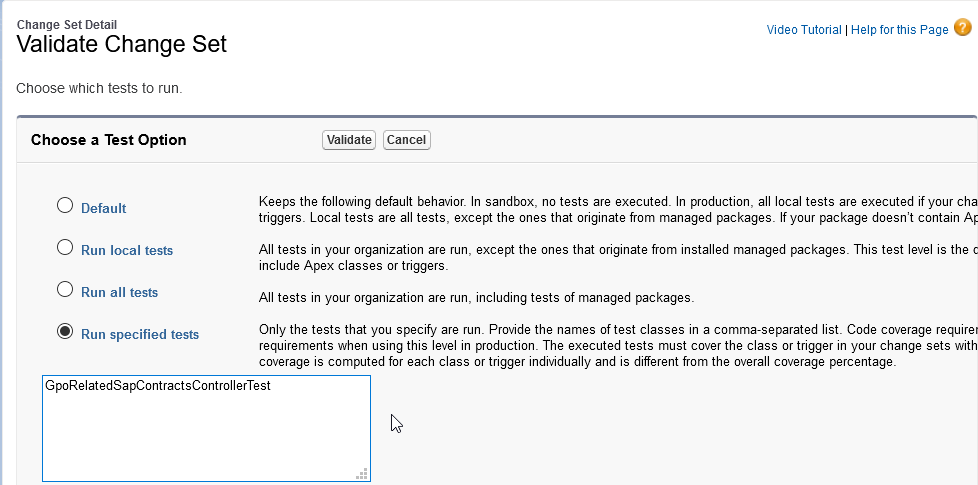
As a cloud architecture consultant I have always applauded Salesforce for requiring 75% test coverage for deployments. I just wish that it was a minimum per class rather than an average per org. Why? Because things change and over time the average in production can come down to the point where adding a new change set that is at 75% when averaged with what is in production drops the total average. Because of this, I have set the standard for my team as 95%, which always got us through this issue until recently.
Another team had run a deployment that removed methods previous tests relied on. When my change set was validated, I was surprised to see the following error:
Method does not exist or incorrect signature
What was most vexing about this is that none of the classes in error were touched by my change set. Usually this can be fixed with a recompile, but not this time. What to do? Well, someone else had gotten a deployment through (there are multiple teams working in the org), so I knew there had to be some solution. And there was! Sparing you the dozen things I tried that did not work, here is the solution:
Citizen development is really a responsible response to the dilemmas created by Shadow IT. Now that technology is available to those with minimal technical knowledge business users will implement solutions without the help of the IT department. The best thing IT can do about this is mentor the business users in ways that will support what business is going to do anyway in a way that will not lead to enterprise-level headaches. Salesforce is at the forefront in helping business and IT with this new paradigm.
The number of times I revised the title of this post is a sign of the times in technology. Those not steeped in the gray arts of technology may think that since computers process 1’s and 0’s that going from thought waves to software is a linear and clearly defined path. The more the technology evolves the less true that is. I started with the title of “How Salesforce Enables Citizen Development”, but a key premise of this post is that it is not a check box in the system administrator’s console, which the term “enables” insinuates. “Citizen Development with Salesforce” was considered and rejected because it has a tone that suggests that there is no longer a need for highly trained Salesforce administrators, architects and developers. Not only do I disagree with that premise, I more emphatically caution against the invalid assumption that such a void would result in cost savings. These nuances of title may seem like a lot of over-thinking except that as both a writer and reader I am all-too-aware of the tendency to base a fully formed opinion on the title alone.
I was recently asked to sum up the benefits of citizen development and came up with the following:
User-owned Solutions
Reduced IT Bottlenecks
Streamlined Process
Lower Costs to Deliver
Salesforce supports citizen development by providing a platform with capabilities that can be accessed and utilized with a minimum of training and experience. The unbridled optimist will look at the preceding sentence and imagine a world where every business user can build applications that are easy to use and will contribute to productivity at a lower cost.
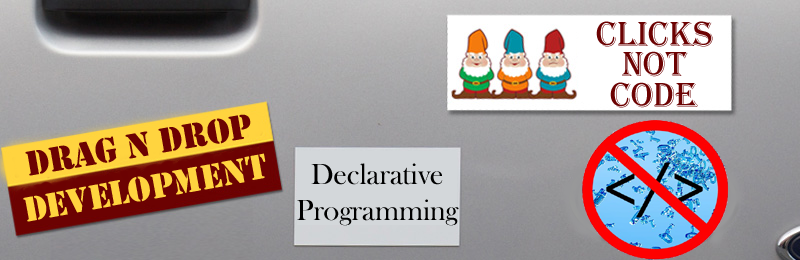
Citizen Development Bumper Sticker Policies
The realist would (and should) take umbrage with the word “every”. Putting aside the variance in individual capabilities, there are other key factors that make “every business user” a dangerous assumption. Two key factors are time and inclination. It takes both to perform any one of the following critical tasks for a successful application: Determine the full range of business requirements an application should address; analyze the variety of technical solutions and appropriately select the best fit for the requirements; review the existing functionality within the organization for potential reuse and impact; train and support other users in the resulting application; and maintain proper data governance to ensure both adequate security and cost controls.
So, perhaps a better statement of how Salesforce supports citizen development would be “Salesforce provides the tools for an enterprise to enable business users to build applications with little or no IT support when proper governance processes are established and followed”. This phrase doesn’t fit on a bumper sticker as easily as “Clicks not code”. Perhaps “IT doesn’t go away. IT gets out of the way” almost fits, though.
The “lower cost to deliver” benefit is based on the streamlined process of citizen development, i.e., no need for business to create a full specification to hand off to IT for implementation since business will own the development. In an enterprise where the IT team is continuously backed up, this will lead to faster time to delivery as well. In cases where the scenario is simple or common enough to be configured in a generic manner, a great deal of time can be saved. However, this should not be confused with the false assumption that configuration over coding is inherently faster. Sometimes it is and sometimes it is not. Declarative programming must be provided in a way that is maintainable by the vendor and generic for the customer. For a skilled developer, custom development can be completed in far less time than it takes to configure a collection of generic options to something as simple as loop through a specific set of data looking for a specific output.
If it sounds like citizen development is a bad idea that is neither the case nor the intention. Application development is like raising a child… it takes a village with each member contributing their specialty at the best time and in the appropriate context. A governance group to provide guidelines, consider exceptions and enforce adherence; Architecture and security specialists to determine the best way to ensure compliance; Developers to provide reusable components when they are not readily available from the App Exchange; Trained Salesforce system administrators to enable appropriate permissions, configure necessary integrations, and manage production deployments.
In short, all of the roles that an organization following best practices for platform use will have in place anyway. On the one hand, supporting citizen development adds some additional tasks to those who support the platform. On the other hand, properly supported citizen development frees up platform support personnel to better focus on the tasks that most need their skills while improving relations between business and IT by enabling business to more self-supporting.
Salesforce Trailhead trainings are a great way to learn Salesforce. Some of the Hands-on Challenges require installing components. If you are using a Developer org to run these, the instructions are easy to follow. However, if you are using Trailhead Playground org, it is kind of a pain to install some components. There is a link thoughtfully provided by Salesforce for how to do this with eleven steps that I find a bit too time-consuming and confusing. I have found a slightly different approach that seems (at least to me) simpler. I will leave it to you decide which you prefer.
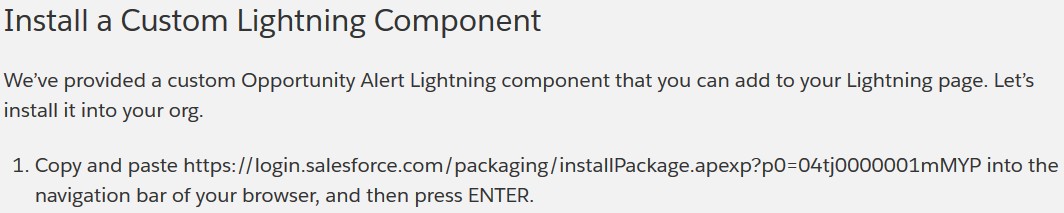
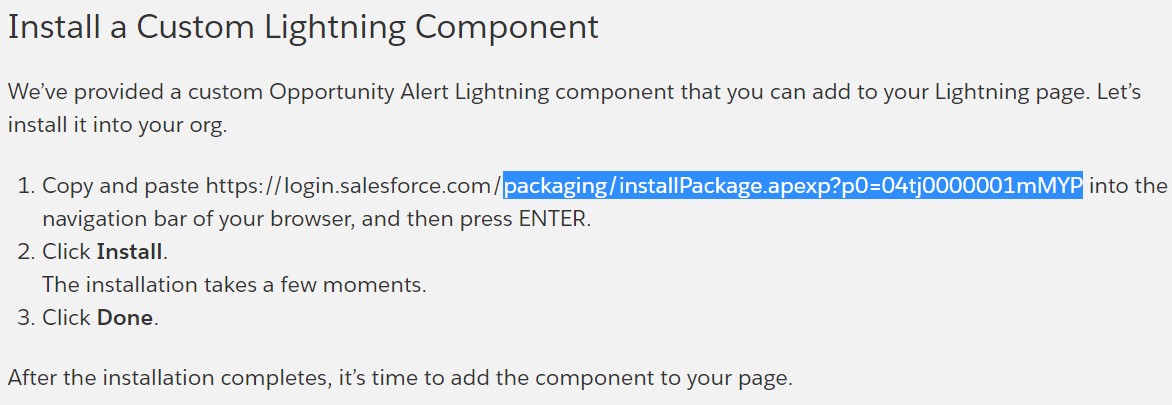
The instructions for installing the component (as in the screenshot below)will often be provided well before the challenge and the hint to avoid the frustration of trying to log into a Playground org when prompted by the standard component installation URL.
Example Trailhead Package Instruction
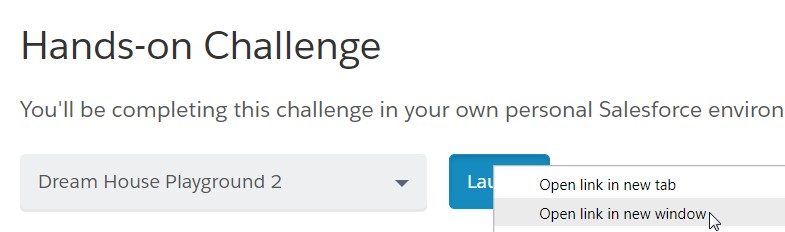
Step 1: Decide for yourself whether you will read through the full lesson or skip right to the challenge and when you get to the challenge, open your Trailhead Playground org in a new window by right-clicking on the Launch button (as pictured below).
Open your Trailhead Playground org in a new window by right-clicking on the Launch button
Step 2: Log in to your Trailhead Playground org.
Step 3: Go back to the lesson screen and copy the component installation URL without the domain, i.e., “packaging/installPackage.apexp?p0=04tj0000001mMYP”
Copy the component installation URL without the domain
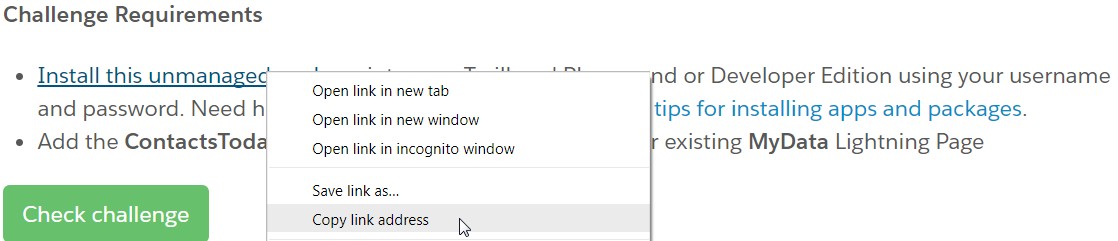
In some cases the installation instructions will have a link without the URL on the page. In this case, right-click on the link and copy the target to get the path, pasting it into a text editor to extract the portion following the domain.
Right-click on the link and copy the target to get the path
Step 4: With the package path in your clipboard, paste it after the domain name of your Playground in the window you have already logged into and press enter.
With the package path in your clipboard, paste it after the domain name of your Playground in the window you have already logged into and press enter.
Step 5: Once the installation screen will come up, and you can continue as instructed in the Trailhead lesson.
Once the installation screen will come up, and you can continue as instructed in the Trailhead lesson.
I have tested this on both Chrome and Firefox running in Windows 7. Your results may vary with a different combination of browsers and O/S.
01/27/2018 Update: The new Salesforce Trailhead UI may take you to the log in page. No worries. Copy the login URL and strip the characters before and including “startURL=”, past into https://www.urldecoder.org/, and strip all of the characters including and following the first “&”. to get the package URL.