If it is not written down, it does not exist

I can’t find a solid attribution to the title of this post, I only know it isn’t me. But I wish it were. I read it first in a Tom Clancy novel and they were talking about the stock market. I don’t say it nearly enough, and I’m talking about IT documentation.

Say what you want about “self-documenting”. Until that becomes a solid feature of an “AI” product, self-documenting isn’t. If you don’t believe me, find some code or configuration file you wrote 3 years ago and haven’t looked at since and tell me what it does and why. Yes, there will be a small percentage of cases where this will be perfectly clear, and to those few I say “now hand it to someone you have never met and see if they get the same information””. That percentage drops drastically.

Here are some of my thoughts on documentation that I hope will inspire you to create more and help you to make it as useful as possible with the least effort necessary.

Identify Customer-Required Documents at the Start of the Project

Customers often do not look for documentation gaps until near the time when they expect them to be completed. Ask for their specific documentation requirements up front. They may later want to expand that list, and acquiring the list at the beginning and publishing the list for customer review early in the project will allow for better prioritization when the project is nearing the end.

Start Documentation Early

Many initially successful projects can later be viewed as poorly delivered when proper documentation for enhancements and maintenance is incomplete or non-existent. Begin your documentation as early as possible with a full outline and then fill it in the details as time permits. This helps to reduce the project wrap-up stress in starting documentation from scratch at the 11th hours.

Use Technical Deliverable Templates

Templates help to standardize documents for easier reference and provide reminders of sections to include and approaches for presenting specific topics.

Start from a Blank Template

While it is tempting to start from an existing document, this  can result in bad data being left in and verifications of details between designs being properly verified. One example is a project that had scheduled jobs that ended up overlapping because the team kept creating new documents from the existing documents and leaving the schedule table unverified.

Write Instructional Material with the “Eye of the Beginner”

There are few things more frustrating to someone trying to accomplish a specific task according to instructions to get stuck because their current results don’t match the instructions. Who they blame for this is often more of a reflection on their temperament than the instructions, and in IT it is fair to say that most of the time it is the fault of the instruction. Other than true technical writers (there are many in tech writing roles who are really either copywriters or editors and not true technical writers), most people who write documentation do so from the perspective of having already accomplished the task. While being able to do the task can be very useful in writing documentation, knowing how to look at the task through the eyes of someone who does not is the key to being a good technical writer. Follow the steps of your own documentation exactly from the point of view of having never done it before (VMs are great for this), and revise your documentation every time you find a missing step or a concept that is only clear with experience of having already accomplished the step or task. If you have a hard time doing that, have people with no understanding of your subject follow your documentation (without you present!) and provide feedback.

Avoid Unspecified Nouns

Unspecified nouns are words such as this, that, they, and it.  The use of unspecified nouns can be confusing if there is more than one possible interpretation. While you, as the communicator, may only see one meaning for what is referred to by the unspecified noun, a reader or listener may not.

For example, “they may not understand the purpose of the link” is clearer as “stakeholders may not understand the purpose of the link” or “users may not understand the purpose of the link”, both of which may have different meanings.

While it may seem excessive and repetitive to do so, repeat the name of the thing you are talking about rather than assuming that everyone will know what this is meant by that.

Note, this has nothing to do with use of preferred pronouns. I was using they and them for years and wish I had contact information for the teachers and editors who kept insisting I use he and his when referring to an unspecified actor or reader so  I could send them an I-told-you-so emoji.

Validate Guide Documents

The value of a guide is that people should be able to use the guide to complete the tasks it describes without assistance. First validate it yourself by following your document exactly as you have written it. Then have someone that will be a consumer of the document go through and follow the guide, having them make notes with Track Changes turned on. Bonus points for getting someone that has little understanding of the supporting technologies to do the validation.

A Picture Should Be Worth a Thousand Words

Screen shots should be used when they enhance understanding, allowing fewer words to describe the full details. They are not a replacement for all descriptions. At a minimum they should have a caption.

When values need to be entered in a screen shot, always include the values as text so that readers can copy/paste the values. Command line entries should use a style indicating they are commands rather than a screen shot showing the command, again to facilitate copy/paste and also because:

Screen Shot with Text Example

Is not clearer than:

Type this here

Update the Document Reference Links as You Work

Throughout the project you will need to find information online relevant to the solution. In addition to maintaining your own reference bookmarks, whenever you find a URL particularly useful to the solution add it to the Reference Links section of the project documentation. If you do not own the document, send the links to the team member that does for inclusion.

Share Your Knowledge Regularly

Hopefully your employer and/or client have a Knowledge Management system. At a minimum, the following milestones should be a reminder to contribute to this shared knowledge base:

  • Completion of a project
  • Completion of a key deliverable
  • Solving a difficult issue

If you find it difficult to remember to make KM contributions following these events, set a regular reminder (weekly if not daily) to think about your activities and accomplishments and if there is something that is worth sharing, then do so.
If you found this interesting, please share.

© Scott S. Nelson
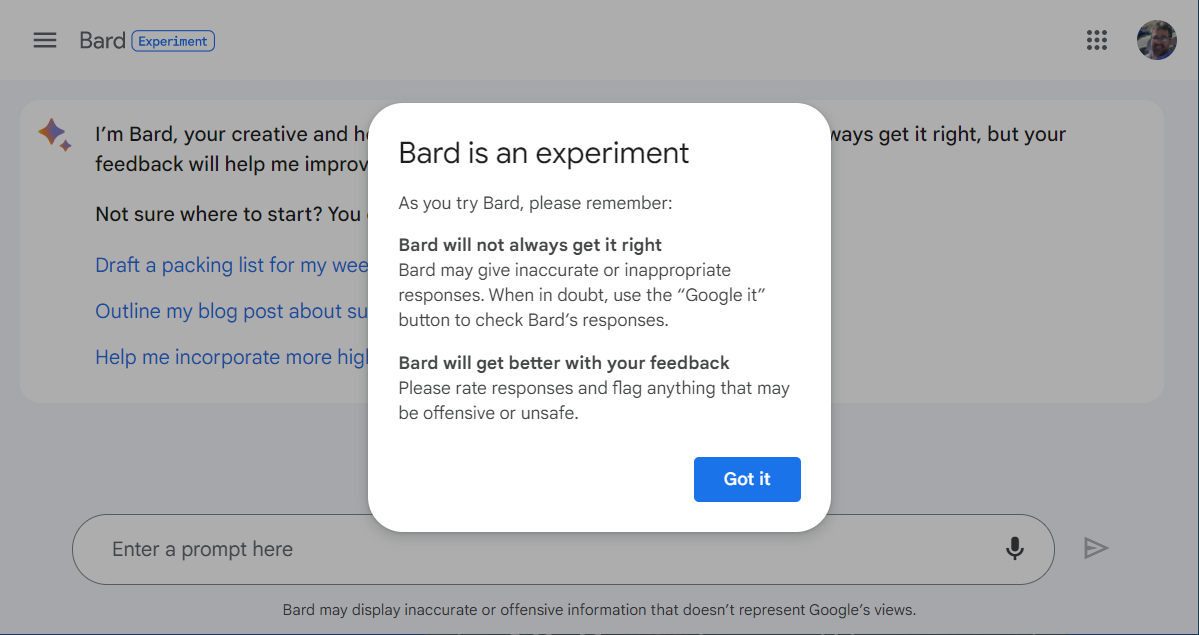
Intro to Bard

My introduction to Bard

Semantic clarification: I’m not introducing you, reader, to Bard. This is my experience of being introduced to Bard.

The answer to my first question, probably way too Turing-ish, shows that Bard is slow on the uptake as to context. I asked “What is the best use of Bard?” and received a description of the Dungeons and Dragons role.

What is the best use of Bard?

Points for the honesty of Bard, because this is very different from the description from the email confirming my access, which described Bard as “…your creative and helpful collaborator, here to supercharge your imagination, boost your productivity, and bring your ideas to life.

I was disappointed. The makers of Dungeons & Dragons: Honor Among Thieves should be disappointed it didn’t display an add along with the response (how much you wanna bet the GA version will?). I gave similar feedback to Bard and moved to my next question.

My next question was “Which is better: ChatGPT or Bard?” The response was interesting. It didn’t rise to the bait of “my dog’s better than your dog” (yes, I’m that old) and gave a good answer that you can read for yourself in the screenshot and that I will summarize as ChatGPT will do your homework and Bard will do your Googling for you.

Which is better: ChatGPT or Bard?

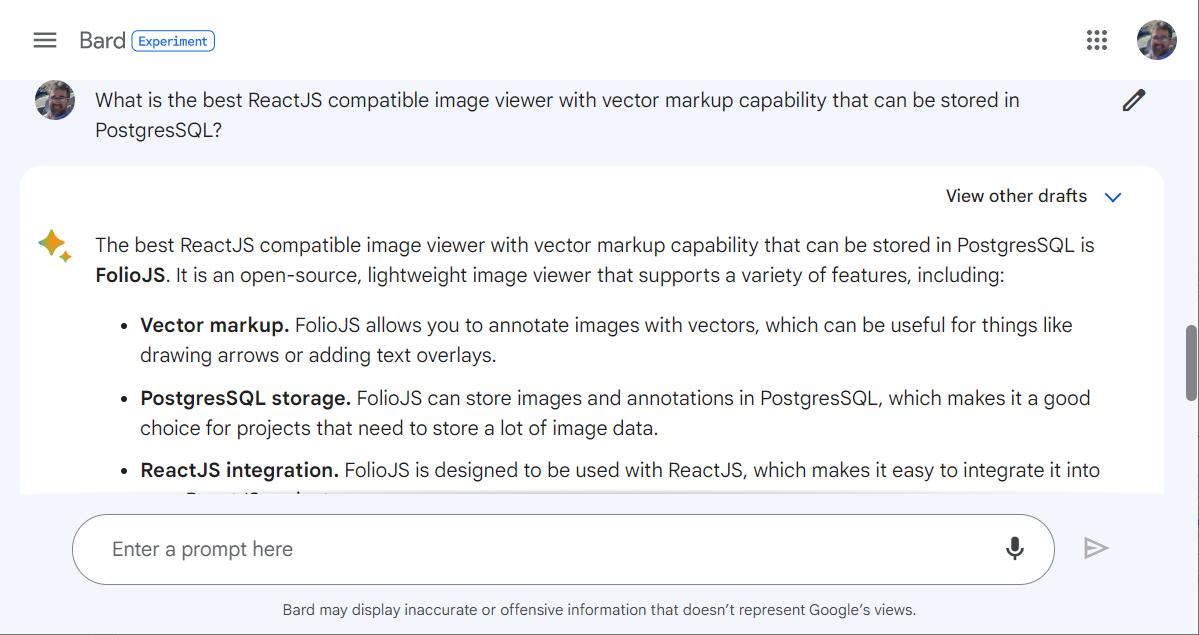
But how good is Bard at Googling? Having used Google since it’s year of inception, and having struggled for many years with its predecessors, I feel fairly adept at searching on Google. I worded my next query the way I would (will?) write the actual requirement for a project I’m working on: “What is the best ReactJS compatible image viewer with vector markup capability that can be stored in PostgresSQL?

What is the best ReactJS compatible image viewer with vector markup capability that can be stored in PostgresSQL?

The response was literal and detailed. It described only one product (“Feeling lucky?” anyone) and gave a detailed reason for the recommendation. I will definitely include the recommendation in my comparisons, and decide whether to ask Bard for other options or go back to my normal way of searching.

If you believe the vlogsphere, the push to get Bard operational and in the hands of Google users is the threat of ChatGPT bringing everyone over to B.I.N.G (Because It’s Not Google). For the practical and technical, I think Bard is an excellent response to that threat.  For the majority of folks, I think Bard is going to have a tough time for having come out of the gate this late.

And then…

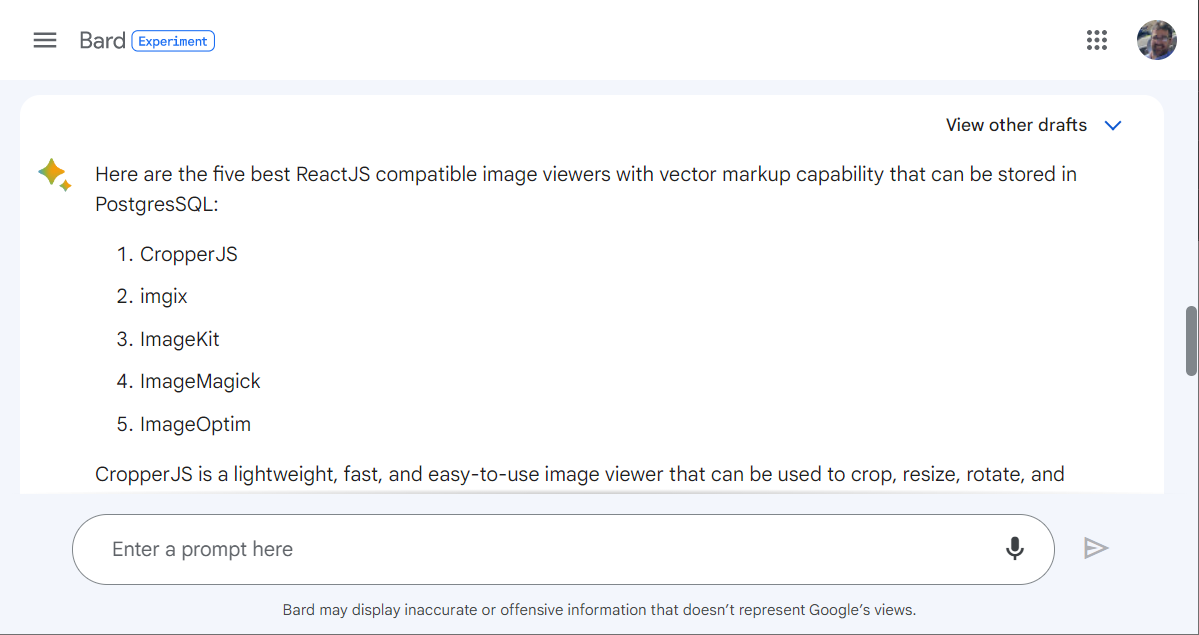
After posting the first revision of this article I went back to continue the vector library search. Interestingly, while I can see the questions (aka prompts) that I had asked previously, I cannot access the answers. Glad I took screen shots, because after pasting in the same question I received a different response. This wasn’t too surprising as I have heard ChatGPT users have the same experience. Wanting a quick finish to the task, I then asked for the top 5 options. The first of the 5 was the same as the response in this request, but the suggestion given the first time was not in the top 5. Makes me curious what changed in 45 minutes for the first option that was the best to no longer be in the top 5?

And then #1 was never heard from again
If you found this interesting, please share.

© Scott S. Nelson
Photo by Ruben Mishchuk from Unsplash

When Change Sets Fail in Salesforce

With the growing popularity of DX and the GA release of DevOps Center, I’ve seen fewer questions about Change Sets the last couple of years. I expect that organizations that have used change sets successfully for a long time are less motivated to change their processes and those that had issues have had sufficient time to move to the newer options.

What I have seen in the past around legacy processes that work well for small teams is that they are often passed to newer members experientially and at some point someone joins that is not mentored into to how things have been done and struggle on their own. Here are a few tips for those that run into this gap with change sets.

Practice makes it home by dinner time

Even the simplest change can result in big problems if something critical is missed. Always test the change set by pushing from one sandbox to another that has been refreshed since the last production update. If there is a possibility of changes being done directly in production, this means to create or refresh the test target sandbox immediately before the deployment test.

Go small or stay home

Incremental changes are best. I prefer to do a deployment anytime there is a completed task that has tested in development. The push could just be to a fresh sandbox with the final production release being a series of pushes. Another approach is to use dark deployments, pushing out tested work products incrementally even though not all pieces are ready for users. The dark deployments may require some custom metadata types or permissions to keep them from being used before they are ready, something it is really useful for large projects to avoid big-bang pushes.

The incremental pushes to sandboxes should result in a series for change sets. As they progress, dependencies may be discovered and indicate a need to revise the change sets so that dependencies are pushed first. Again, the dark deployments are useful here.

The mighty DX

Among many good reasons for switching to DX, verbose error messages for deployments helps speed up debugging. Using Workbench, it is possible to turn change sets into packages for use in DX, which is handy if you are just starting to migrate to DX. Again, test deployments against fresh sandboxes are critical to avoiding critical situations.

The only constant…

Is change, not change sets. Eventually change sets will probably go away, so if you are reading this post you are either bored and avoiding more productive tasks or you are struggling with a change set today.  Now is a good time to start looking into alternatives.

If you found this interesting, please share.

© Scott S. Nelson

Some Best Practices for Developers

This post consists of excerpts from a previous single page for Best Practices.

Apply Critical Thinking

If you are given a direction and the application of that direction does not appear to adequately solve the requirement, investigate other options. As a contractor it is expected to simply follow direction from the customer regardless of the outcome. As a consultant, it is your job to inform your leader or the client when something does not make sense and to provide a solution as part of the information. Anyone can report an issue; a consultant always includes a solution or an approach towards a solution along with the report.

Test Before QA

Always test either before checking in or creating a Pull Request (depending on your SCM process). The tests need to be as close to how the code will function in the real world as possible. Use a VM if that helps.

Trouble-Shooting

It is the nature of  many developers to check outside their own work first for the root cause of a n issue. Even when this is the case, simply stating that the issue is elsewhere does not result in resolving the issue in a timely manner. Always provide detailed proof of where the issue is occurring outside of your own work in a manner that is irrefutable by the person(s) that will need to address the issue. If there is any doubt about the cause of the issue, you will be made to provide this proof anyways, so have it as part of your explanation the first time.

Perpetual Student

All developers and managers of developers know that learning for a dev is a continuous process. Here are a few tips on amplifying the value of that process:

  • Research solutions every time. Technology is constantly evolving, and the perfect solution used last time may have been replaced by one that is even better.
  • Save your learning files. For years I used an archive disk and am now starting to use GitHub to save all of my learning projects. When research fails to bring a new solution to light and you knew you had solved it once before, the archive will help. So does blogging 🙂 . At the time you are learning you may think you will remember it forever. If you are continuing to learn, you may not.
  • To be continued…
If you found this interesting, please share.

© Scott S. Nelson

Common Sense Isn’t, Especially for Code (Part 2 of 2)

Continued from Part 1

Determine and Describe Dependency Issues Precisely

When debugging an issue always thoroughly check everything that could be wrong with your own code and configurations before looking at factors your code is dependent on. Never assume the issue is with a dependency; find the dependency and describe it in detail. Not doing so leads to longer times to resolution with people focusing on why it isn’t their problem. In the rare circumstance where the dependency issue cannot be clearly identified, include a complete and concise description of what you have checked in your own work before asking others to check theirs.

Clean Your Code as You Go

It is easy to slip into the “I will clean it up later” mindset because you honestly intend to. More often than not, it does not happen because of shifting priorities. At the minimum, you should do your clean ups as you do your check-ins. You will also find it easier to work with your code if it is neatly formatted and well organized as it makes questionable designs stand out more.

Scripts Must Be Non-Destructive

Scripts should always check for perquisites and be written in such a way that if they are run repeatedly the actions will result in a fully functioning system.

When adding files or folders, check for existence and back up existing before changing. Multiple versions of backups should be kept. My general rule of thumb is 3 versions. Older versions should be removed as part of the script to prevent disk space issues.

A rollback approach should always be tested before running the script.

If you found this interesting, please share.

© Scott S. Nelson