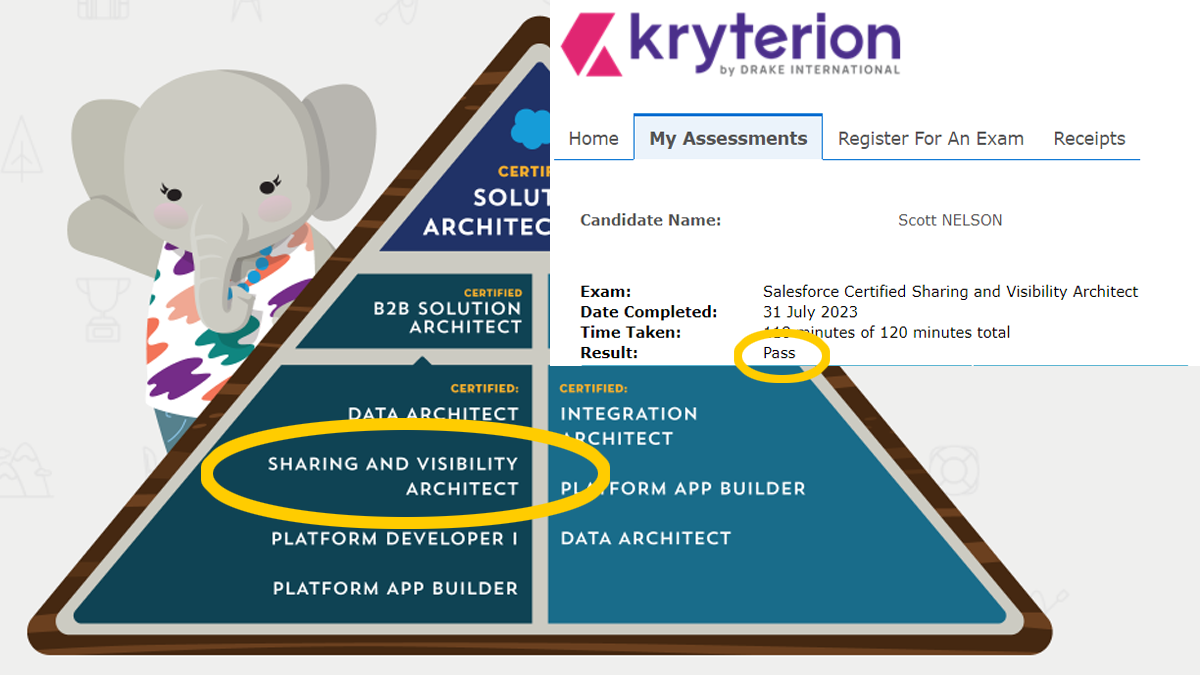
Full disclosure: This is a quick draft from notes made during my prep journey and quickly edited after passing. Based on comments received, I may revise and elaborate further (hint, hint)
Overview of the Sharing and Visibility Architect certification
After completing the Administrator and Developer certifications, the App Builder certification seemed easy, and I had an expectation they would continue to get easier. I was right and wrong.
I struggled a bit with this certification, for a variety of reasons. First, the earlier certifications are very popular as the best of the entry-level exams. Popularity in this century leads to quantity, and there was lots of high-quality study material available for free and at a reasonable cost. I used to find the Salesforce sharing and visibility topics a bit confusing. They are highly flexible, and flexibility can lead to complexity. The thing about complexity is that when it is well-managed it has a simple core. Getting to that core is the challenge with understanding the subject areas of sharing and visibility and preparing for the certification exam.
Study Guides
For most of my earlier certifications I started with digging deep into the material and the using practice exams to help identify my weaknesses. There are not a lot of courses for sharing and visibility, and many that are out there are out of date. I think part of this has to do with the diminishing number of test takers for this one, coupled with the complexity of the material. Higher effort to address a smaller market reduces those interested in completing. I did find a decent subject matter course on Udemy, my usual go-to for learning anything quick at reasonable price (so long as I can wait for one of the frequent sales). I also found a good, exam-focused series on YouTube that I highly recommend for those like me who want multiple sources and frequently treat YouTube videos as pod casts, using audio-only.
Of course, I also did all of the related modules and trails on Trailhead. There were fewer of these for sharing and visibility compared to my previous certification, too. I also found them less effective in making the content stick in my head.
Practice Exams
Where I struggled was finding practice exams. Most of the ones on Udemy for sharing and visibility are garbage (sorry, Udemy…and I’m a stock-holder, too). One is not too bad, though I think I give it some leniency because of the comparison to what else is available. I finally got frustrated and posted on Trailhead (where I am guilty of answering more questions than I ask, a poor learning strategy). The community did not let me down and came back with a solid recommendation for focusonforce. Their format is a bit different, in that they have practice exams, and they also have section-focused exams. I missed the section-focused being separate from the practice exams until the last minute. I would have felt much more prepared had I found them earlier. They also have a nice feature of 20 random questions that are mixed in proportion to the exam topic mix, which was great for when you don’t have a lot of time and still want to practice.
Oh, yeah, another cool feature from focusonforce is the ability to see the answer after each question instead of at the end. I know there are some free site on other topics that do this, but this is the first time I have seen it with a high-volume and high-quality set of practice exams. It made it easier to make notes on my weaker areas. With better notes, I then used Bionic Reading® forming to make it easier to read them over and over again.
No matter what exam you are preparing for or where you get the practice exams, I recommend taking the practice exams using multiple paces; fast, slow, checking each, checking at the end.
One of the reasons I was so dissatisfied with the Udemy practice exams is that the questions are so long and complex, yet it is still 60 questions each. Well, turns out most of the questions really are long and complex. Still, the Udemy ones missed the actual style of the real questions. Understandable, given the level of complexity, but still disappointing.
Take the practice exams using multiple paces; fast, slow, checking each, checking at the end. When doing the real thing, follow standard practice of speed through and mark for review, etc.. The value of practice exams is more than learning the answers to likely questions. The highest value is in adopting the mindset and thought processes in the context of how exam questions are stated and rated, which is more complex and more constrictive than a typical design session where one can review the problem repeatedly over time and adjust
Tips to taking the exam
- When doing the real thing, follow the standard practice of speeding through answering the easy questions and marking any with any level of doubt for review.
- Review first pass unchecking those you are totally confident you are right or totally confident you have no clue.
- Third pass, commit to an answer.
- If time remains, go through everything again.
- On the second pass, read the questions thoroughly. It is the small details in the exam that are easy to trip over.
- Remember that it’s the best solution given the parameters.
- If multiple options will solve it, which has an advantage over the others?
- Which addresses all of the variables in the question?
- When there are multiple answers that could be right, think about which answer is declarative vs programmatic and which is the most secure
Resource links
Below is a list of resources I used. I hope they help you in your own pursuit.
Trailhead Trailmixes
- https://trailhead.salesforce.com/users/dsalesforce39/trailmixes/sharing-and-visibility-designer
- https://trailhead.salesforce.com/users/dalexa68/trailmixes/sharing-and-visibility-designer-eligibility
- https://trailhead.salesforce.com/users/strailhead/trailmixes/architect-sharing-and-visibility
- https://trailhead.salesforce.com/users/workforceinnovation/trailmixes/sharing-and-visibility-designer
- https://trailhead.salesforce.com/users/ashwin/trailmixes/sharing-and-visibility-designer
Udemy
The course I took was Salesforce Certified Sharing and Visibility Architect Course by Walid El Horr
The practice exam that was OK on Udemy is Salesforce Sharing and Visibility Practise Tests – 100% PASS (that is the title, not an endorsement by me).
Focus on Force
Salesforce Sharing and Visibility Architect Practice Quiz and Sample Questions
YouTube
Sharing and Visibility – Salesforce Certification by CertCafe
Identity and Access Management in Salesforce by Salesforce Apex Hours
Combined playlist on my channel
My notes in Bionic Reading® Format
Generated with https://10015.io/tools/bionic-reading-converter
runAs() is only for test classes
runAs() does not enforce user and system permissions
runAs() does not enforce FLS
Tagging rules have only three options:
1. Restrict users to pre-defined tags
2. Allow any tag
3. Suggest tags
There is no View Content permission
The Salesforce CRM Content User is a Feature License enabled at the User Level (not Profile)
Granular locking is default
Granular locking processes multiple operations simultaneously
Parallel recalculation runs asynchronously and in parallel thus speeding up the process. Creating sharing rules or updating OWD must wait until the recalculation is complete
Initialize test data and variables before the startTest method in a test class
There is NO Account Team Access
Team Member Access is how to view access.
While the permission is Edit, the Apex method is isUpdateble()
While the FLS column is View, the API method is isAccessible()
If want to see group access, look in group maintenance table, not sharing setting for object.
User above a role in the hierarchy can edit opportunity teams of users in subordinate roles
File types cannot be restricted by the library
Opportunities have a Transfer Record permission
Experience Cloud uses Sharing Sets
Sharing rules cannot set base object access
PK chunking to split bulk api queries for large data sets
Rapid access usually means a custom list view
A library with more than 5k files cannot have a folder added
Sharing set in Experience Cloud allows access only to account and contact records.
Share groups are only for HVP users
Schema.Describe.SObject/Field result for permissions
Session based permission set group is more efficient than multiple session based permission sets
There is no Partner Community Plus
Sharing sets can be assigned to profiles
Criteria based sharing rules are only for field value criterion. If no field value criteria, use ownership based sharing rules
Max file size for UI upload is 2GB
EPIM = Enhanced Personal Information Management
Delegated external administrators can’t see custom fields on user detail records
Sharing Hierarchy button is a thing that shows the hierarchy
Share Groups are not available for Partner Community Users
If the default OWD access is changed for an object, it is no longer controlled by parent
There is no Permission Object
Sharing Rules share to groups and profiles, not individuals
Enhance Transaction Security Policy can be triggered by request time length
If only one custom record type is assigned to a user that is the default type for that user.
Territories can belong to public groups
Activities are child objects of any of the following parents: Account, Opportunity, Case, Campaign, Asset and custom objects with Allow Activities.
the ‘with sharing’ and ‘without sharing’ keywords can be declared at the class level, but not at the method level.
The Group Maintenance tables store Inherited and Implicit grants, i.e., the extrapolated grants, which makes sense as extrapolation is more compute-intense than a query.
Partner Community can use Sharing Rules
External OWD must be equal or more restrictive than the Internal OWD