
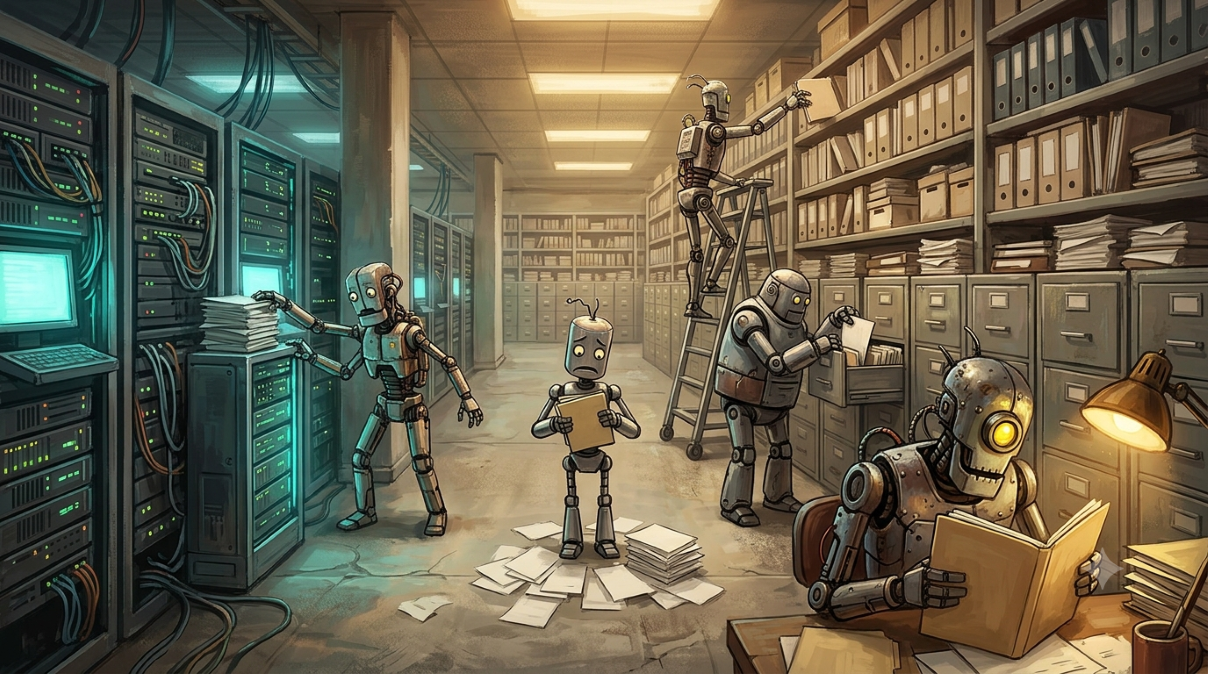
Robots looking for data with varying degrees of success

AI Treats Your Documentation as Data. You Should Too.

TL;DR: Enterprise AI runs on enterprise data, and that includes the unstructured data in the form of documentation that is poorly curated. No taxonomy, revisions sitting next to finals with no way to tell which one is current or still relevant. If data is the DNA of modern business, documentation is the dominant chromosome that can make the difference between robust health and questionable viability.


I post a lot about the value of architecture and training in AI adoption, and share posts by people focused on the nuances of prompting because these things will make a difference. Data cleanliness is a topic I usually just point people toward other people’s thinking on because my days focus more on how data moves and evolves than on structuring and managing it. As a long-time generalist, I have a deep appreciation of the added value specialists bring to the process. Documentation is a different kind of data, with its own unique headaches. I’ve harped on some of those issues for years: why self-documenting code doesn’t produce a self-documenting solution (From Agile to Fragile in 60 Sprints), why nothing gets read that never gets written down (If It Is Not Written Down It Does Not Exist), and why a taxonomy nobody maintains is worse than no taxonomy at all (Failure to plan communications is communicating a plan to miscommunicate, one that I wrote at the dawn of the current age of AI without realizing how it would soon become even more important).

Then it occurred to me that documentation and data cleanliness are the same conversation, and I hadn’t heard many people say so directly. Documentation is data, and not just any part of it. It’s the chromosome that expresses the rest of your enterprise data, the one that decides whether everything built on top of it turns out healthy. It’s also usually the part in the worst shape. That’s the case I want to make here. (Confession: the connection came from something I read that mentioned it in passing, and I never noted the source. Whoever you are, kudos.)

AI needs three things from your data, in order:

  1. Access.
  2. Understanding.
  3. The ability to apply what it understands to the specific context of whatever someone just asked it.

Skip a step and the most expertly crafted prompt or the best planned architecture in the world still only gets you an expensive autocomplete with a confident and flattering tone, because both of them are working with whatever access and understanding they’ve been handed.

There’s a lot written about the mechanics of step one: RAG, vector stores, and running SharePoint exports through Pandoc before they ever reach a prompt, since raw Word and PDF files carry a lot of baggage a model doesn’t need to see. Step two has gotten a lot less attention. Understanding requires that all of the documentation your AI is referencing provides meaning and consistent messaging, and the usual disarray of enterprise documentation doesn’t.

AI is a (New) Good Reason to Clean Up Your Documentation

This was already a problem in 2022, back when the audience for the complaint was a project manager, not a language model. Templates that auto-update their “last modified” date every time the file gets saved, whether or not the content actually changed, so the date stops meaning anything (Replace Auto Dates in Templates). It gets worse at the platform level. SharePoint and Teams will happily stamp a document “Modified” the moment someone opens it, whether they changed a single character or not, because the file was never stored with the “open as read-only” flag set. Nobody sets it, because almost nobody thinks about it, and now your most trustworthy-looking piece of metadata is lying to you and to anything reading it downstream.

Then there’s version chaos stacked on top of date chaos. A SharePoint draft with one clear owner on paper, quietly edited by people who didn’t know that, discovered only after someone had to re-verify the entire document line by line (Recovering Previous Versions from SharePoint). That gripe about config files requiring “reading documentation, which is only read less than it is written” is sixteen years old (Dynamic Log Location for log4j). That was a joke about developers skipping the manual. It reads differently now that the thing skipping the manual is a model that can’t lean over and ask a coworker what the doc meant to say.

None of that is a new problem. What’s new is that AI has zero tolerance for it. A human can walk into a shared drive, eyeball three files named some variation of “Process_Final_v2_ACTUAL_FINAL,” and guess correctly which one to trust, because they have context: they remember the meeting, they know who owns the process, they can just ask. AI doesn’t get that fallback. It reads what’s in front of it and treats every file as equally authoritative, including the wrong one.

If This Sounds Familiar…

Turns out I’m not the only one who noticed. Other people are seeing the same problem from angles most enterprise practitioners rarely get access to. Amit Shivpuja, who runs data and AI enablement at Walmart, wrote in Forbes that he watched a fully governed, well-modeled AI program produce inconsistent results anyway, and traced it to what he calls the missing documentation layer: the context that should have been captured during requirements, design, and testing, but instead lived in a Slack thread or in someone’s head (The Hidden Barrier To Enterprise AI: The Missing Documentation Layer). His diagnosis lines up with a decade of watching the same pattern play out: humans compensate for missing documentation with tribal knowledge. AI can’t.

The gap between AI investment and AI payoff backs this up at scale. 79% of organizations report real challenges getting AI to deliver, a double-digit jump from the year before, even as most are raising budgets to feed it (WRITER). Separately, only 32% of organizations report sustained business impact from AI despite 86% of the C-suite increasing investment, according to an Accenture survey (Forbes). Nobody breaks that spend down into prompt engineering versus architecture versus training, but odds are good most of it lands in exactly those three buckets. It’s not usually the prompts, the architecture, or the training that’s failing. It’s the context underneath all three.

How to Get Started

None of that makes training, architecture, or prompt engineering optional. They’re not, and treating them as afterthoughts would be its own kind of mistake. Training your people is worth the time and the awkward learning curve that comes with it, every time. Architecture done right is what lets a foundation hold up for years while the technology running on top of it changes every few weeks, so it’s worth building solid instead of patching forever. And prompt engineering isn’t dead, whatever this month’s headlines are claiming. Knowing how to ask well is still what gets the new, flashier capabilities to actually do what you meant instead of what you typed.

But the potential of all that value depends on how well it works with your enterprise data. We’re past the point of needing to prove AI will benefit the business. We’re all now in the throes of how it will benefit the business, and that how stays severely limited until you put your data in order. Here are a few tips to get you started.

Make documentation part of done, not an afterthought to done. Shivpuja’s Forbes piece gets this right: a story or a feature isn’t finished until the meaning, the rules, and the assumptions behind it are captured somewhere a model can find them. That’s a process change, not a tooling purchase.

Default to read-only. Force intent for edits. If a document is finished, save it that way, and make someone actively choose to reopen it for editing. This has been true since 2022, and the fix hasn’t gotten any harder to implement. Just more expensive to keep skipping.

Give it a taxonomy and a living Read Me, and actually maintain both. This isn’t new advice. Generative AI just raised the stakes on it: organize things so someone new can find their way around without a tour guide, pin an explanation of that structure somewhere obvious, and keep it current as the team and the work change (Failure to plan communications). A taxonomy that was accurate in 2022 and hasn’t been touched since is worse than no taxonomy at all, because it still looks trustworthy.

Attach context to the asset, not to a folder that might get reorganized next quarter. Documentation living next to the process or dataset it describes survives longer than documentation living in a wiki page someone has to remember exists.

Convert for the machine, not just for the human. Pandoc, or whatever your equivalent is, exists to clear that baggage out before it hits a vector store. Word and PDF files are full of formatting decisions that made sense to a human editor and mean nothing to an LLM. Fifteen minutes of conversion saves a RAG pipeline from tripping over someone’s decade-old formatting habits. This is architecture work too, for what it’s worth, just the boring kind that doesn’t show up in a vendor pitch.

Set a review cadence, and mean it. One knowledge-management vendor’s own market analysis cites a 2025 Gartner study putting the number at 60% of internal knowledge articles going stale within six months, with only 14% of teams auditing content on any real schedule (source, with a grain of salt: it’s a page selling a fix for the exact problem it’s describing, but the shape of the number matches what shows up across most enterprise environments). A tool that flags stale content is nice. A team that actually looks at the flag on a schedule is the part that works. Buying a self-updating knowledge base without building the habit of using it just moves the swamp to a nicer-looking pond.

If Data Debt were a Thing…

There’s a term for this that architects already understand: technical debt. Every shortcut taken to ship faster accrues interest, and the bill always comes due, usually at the worst possible time and for more than the original shortcut would have cost to do right.

Documentation disarray runs on the same math. Call it data debt. It accrues every time a taxonomy goes unmaintained, a Read Me goes stale, or a “final” draft ships without anyone reconciling it against the other four drafts sitting next to it. None of that shows up on a balance sheet, so nobody budgets against it. But your prompts, your architecture, and your training program are all paying interest on it anyway, every time they inherit whatever your documentation can actually support.

Pay it down early and it stays cheap: a taxonomy tightened now, a template’s date field fixed before it propagates through a hundred more copies. Let it ride, and the interest compounds. More conflicting drafts pile up. More tribal knowledge walks out the door with the people who had it. More AI output gets built on documentation that was already lying to you, and the eventual fix means untangling years of it instead of an afternoon of it. Ignore it long enough and it doesn’t just get expensive, it bankrupts the whole initiative: the AI program that never delivered, the budget that got pulled, the “we tried AI and it didn’t work” verdict that was actually a documentation problem wearing an AI costume.

Fix the documentation first. It’s not sexy, nobody gets interviewed on a podcast for cleaning up a taxonomy, and it’s exactly the debt payment that keeps the rest of the investment solvent.

If you found this interesting, please share.

Meet Deadlines and Manage Technical Debt with AI-Assisted Architecture

tl;dr: New platform. Deadline. The instinct is to move fast and clean it up later. That’s where technical debt is born. A well-constructed Claude project, loaded with curated platform documentation and queried with the experience to know what to ask and how to evaluate the responses, tactically compresses the ramp-up without sacrificing strategic design principles.


The Sharp Fork in the Road

Every architect and engineering lead who has given a project to deliver on a new platform or with new technology under deadline pressure knows this fork. Pushing for proper preparation can get you marked (ironically) as a risk from the leadership perspective. Plowing forward using old techniques without understanding the new nuances keeps you up at night…either knowing you are missing something up front, or fixing what you didn’t know during the final death-march phase of a waterfall project that just happens to use Kanban boards, daily stand ups, and sprint ceremonies.

One path: move fast. Learn just enough to ship. Ask support when you hit a wall. Request exceptions when you hit limits. Get it working and tell yourself you’ll revisit the architecture when there’s more time. (There is never more time.) What you build in that mode becomes the foundation everything else is built on, and the cost of fixing it compounds with every sprint.

The other path: slow down. Read the documentation properly. Understand the platform’s constraints before you design around them. Make the right call the first time. This is correct and often impractical. Deadlines are real. The platform is new. The documentation is dense. The team is waiting.

The Contentstack project that prompted this post took the first path and ran into a SaaS governance constraint that happens to be measured recursively. The first time it was hit, the response was typical for teams working with a new SaaS vendor and release date that was set before the first line of code was written: Ask for an exception. Which was granted, hit again and raised again. Fortunately, the third time it happened, an experienced vendor support manager recommended reviewing best practices to avoid the issue. And an experienced architect was on the receiving end of that suggestion, one who had previously dealt with a Salesforce solution that went down three months after launch from relying on similar exceptions.

This post is not about Contentstack architecture. It is about the challenge many teams face with balancing target dates and defensive design decisions, and a tool set to apply in order to keep from tipping too far in either direction.


Claude as a Platform Research Partner

Giving Claude access to a curated set of platform documentation and then working interactively to explore solutions is not a replacement for architectural experience. It is an accelerant for it. It is also not a way to do away with architects or the inclusion of design tasks at the feature or story level. It is how to fulfill the expectation that AI can provide ROI immediately when applied by experienced technologists.

These distinctions matter. It’s never about “ask Claude what to do” (because if you need to ask “what” you won’t know how to ask “how” when the time comes). It is “I understand how systems like this behave, I know which constraints are likely to compound, and I need to move through the analysis faster than I could alone.” Experienced architects and engineers bring the judgment: familiarity with how content models fail at scale, how schema resolvers typically handle recursion, how vendor-imposed limits usually reflect real constraints in the underlying system. Claude brings the recall, the scripting, the cross-referencing, and the tireless patience for the kind of recursive schema analysis that would take a senior engineer the better part of a day.

For those that follow my posts you know that I will often describe theoretical solutions backed by a combination of personal experience where they would have worked linked to examples from others who demonstrated that they work. In this case the experience came before the theory, working backwards from a result where I noticed the process while documenting the solution (because, hey, that is what architects do after they solve something).

The working example was with a Contentstack implementation. It took one focused 2-hour session to identify an obscure root cause, define a strategic solution, discover other areas to apply the same solution, and identify where the solution would cause more harm than good. A second 30-minute session was applied after the first round of refactoring to validate the impact and prioritize the remaining effort. Before Generative AI, this would have been several days of effort that would not have been attempted until the risk was realized in production delay.


The Project is the Architecture

Before a single question gets asked, the project has to be built. This is not setup overhead. This is the work.

A blank Claude chat window and a well-constructed project will give you very different results on the same question. The difference is not the AI. It is the knowledge boundary, the taxonomy, the instructions, and the accumulated session output. Strip those away and you have a general-purpose assistant guessing at context. Keep them and you have something that behaves like a senior researcher who has been on the project for months.

What goes in the project folder:

Downloaded documentation as markdown files, not links. Links go stale, require fetches, and introduce latency. Pull the platform docs that matter, save them as markdown, put them in the folder. For Contentstack: the Global Fields limitations page, the Content Modeling Best Practices guide, the Custom Fields documentation. Not every page in the docs. The ones relevant to the work. Knowing which ones matter is the first place architectural experience shows up.

Actual data from the platform. In this case, exported stack JSON. Claude can read it directly in the sandbox, run scripts against it, and cross-reference findings against the loaded documentation in the same session. That combination of curated docs and live data is what makes the diagnosis precise instead of speculative.

Session summaries. After each working session, have Claude produce a structured summary: the original problem, the conclusions, the evidence, the next steps. That file becomes the cold-start document for the next session. You don’t re-explain the context. You hand Claude the prior session’s output and continue. The knowledge compounds.

At some point (again, much of this requires human intuition gained through real-world experience), have Claude work with you to turn the summaries into a skill scoped to the specific platform, technology, or tool so that when they are in context these lessons learned will be applied automatically going forward.


The Taxonomy Is Not an Afterthought

Separate downloaded reference content from working session output. Nest folders by topic. /reference/, /sessions/, /data/ serve different purposes and should live in different places. This is not pedantry. It is how you make the project instructions work correctly, and how you find things six weeks later without rebuilding context from scratch.

If the platform has extensive documentation, don’t try to enumerate allowed URLs in the project instructions directly. Create a reference-urls.md, or per-topic files like contentstack-docs-urls.md, with an annotated, categorized list of approved sources. Claude works from the list. You maintain the list. It stays current and searchable.

The discipline compounds the same way the session summaries do. A well-organized project from session three makes session fifteen faster than session one.


The Project Instructions Are the Rules of Engagement

The instructions define how Claude behaves inside this knowledge space. Three things they need to do:

Challenge assumptions. If a question implies something not supported by the loaded documentation, say so. Don’t fill gaps with plausible-sounding answers. The most dangerous thing a research assistant can do is answer confidently on insufficient evidence. This instruction eliminates a whole category of hallucination risk before it starts.

Point out mistakes. If the framing of a problem is wrong, say so. This is the instruction most people skip and then complain about later. You want an assistant that pushes back, not one that validates your bad hypothesis and helps you build a case on sand.

Limit web searches to specific URLs. Unconstrained web search in a technical investigation introduces noise: outdated content, inconsistent sourcing, SEO-optimized answers that aren’t accurate. Lock it down. Specify which domains are permitted. For a Contentstack project, that’s contentstack.com/docs. Everything else requires explicit permission. If the approved URL list is long, store it in a markdown file in the project folder and point the instructions at it.


This Requires an Architect

Here is the part that does not get said enough.

You cannot point Claude at an unfamiliar platform, load a few docs, and expect it to diagnose architecture problems. You can try. What you’ll get is fluent, confident, and partially wrong.

There are many engineers capable of setting this up. The value of an architect doing the work is separation of concerns in roles. The architect’s role is to nail down processes and choices that allow engineers to focus on the best way to apply them.

In our Contentstack use case, the single session worked because the person directing it brought a deep understanding of adjacent technologies and the experience to know both what to ask and how to evaluate the responses. Specifically:

  • Recognizing that the error message pointed to a schema limit, not a code problem, because that’s how content platform resolvers typically surface constraint violations
  • Understanding that “recursive” in the documentation meant multiplicative compounding, not additive, based on how similar systems handle nested references
  • Knowing the fix had to leave the content model intact for authors, which ruled out several otherwise obvious approaches
  • Reading a Claude-generated Python script’s output and recognizing that the confident result provided the first time was due to looking in the wrong parts of the schema
  • Looking at a before/after instance table and determining whether the fix was actually complete or just moved the problem

None of that knowledge lives in the documentation itself. It transfers in from adjacent experience: content modeling, schema design, how platform resolvers work under the hood. Claude surfaces the platform-specific detail. The architect determines what it means.

The tool doesn’t replace experience. It supercharges it with speed and specific knowledge.


The Interaction Pattern

What the Contentstack session actually looked like, stripped of the platform specifics:

  1. State the problem. Provide the evidence: the error message, the exported schema, the documentation.
  2. Claude generates a hypothesis. Test it against the data.
  3. Diagnostic script written and run in the sandbox.
  4. Root cause confirmed. Fix designed. Impact predicted before any schema changes are made.
  5. Fix implemented. Follow-up session loads the new export and verifies the result.
  6. Summary file created. Next session’s candidates identified.

No magic. An architect with relevant adjacent experience, a fast and patient research partner, and a well-stocked project folder.


Prompts That Did Actual Work

These are worth examining because the techniques transfer to any platform.

“Describe in detail the cause of home_page_template having 24 instances, and instances of what?”

The second half of that question is the important part. Asking Claude to define what it is counting before giving the count forces precision on both sides. In technical sessions on an unfamiliar platform, jargon can mask shallow understanding without anyone noticing until the fix doesn’t work. The ability to ask that follow-up, to know that “instances” needed a definition before the number meant anything, comes from having debugged similar problems elsewhere. Use this pattern whenever an answer could be technically correct but operationally ambiguous.

“Create a summary file to feed to the next analysis session that includes the conclusions from this session combined with the original inputs. Format and sequence the file so that the next session can be as efficient as possible.”

Besides being familiar with adjacent technology, experience solving complex issues with Generative AI is why this is an approach for architects and engineers. Yes, Claude will now start compacting sessions on its own to improve efficiency, but having the sense that it is time to move to a new session is again an area where human experience beats relying entirely on the AI.

This prompt converts a working session into a durable asset. The phrase “format and sequence for efficiency” is carrying real weight: it tells Claude to think about how the file will be consumed, not just what it contains. The output becomes the cold-start document for the next session. Without it, every session re-derives context the previous one already established.

“Read the attached to get full context of the original issue, then review the contents of [folder] and determine if and how the issue has been improved.”

Sequencing does the work here. Claude gets the full prior-session summary before it touches the new data, so “improved” arrives with a precise definition attached. Without that order, it analyzes the new export without knowing what it’s comparing against. Prime with context before assigning the task, every time.

All three follow the same pattern. Context before task. Output format stated up front. It is not a methodology. It is just how you would brief a colleague who needs to be useful on short notice.


The Setup Is the Differentiator

Two teams, same platform, same error.

Team A has Claude. No curated project, no loaded docs, no taxonomy, no instructions. They get generic answers that feel helpful until they don’t hold up under the actual constraints of the platform.

Team B has a project built by someone with deep experience in adjacent technologies, content modeling, schema design, API behavior under constraint, who knows both what to ask and how to evaluate what comes back. Downloaded reference docs. Exported platform data. Session summaries that carry forward. Instructions that push back on bad assumptions.

Team B gets a root cause analysis, a fix, and a forward-looking roadmap. More importantly, they get it without accumulating the kind of structural debt that shows up six months later as an emergency.

A Note about Choosing Cowork

What I’m describing is not the typical use case for Claude’s project-based workspace. It is aimed at knowledge workers automating routine tasks: organizing files, generating reports, drafting communications. Productivity stuff. This is not that.

My choice of Cowork is based on my day-to-day work being mostly in documents and decks. This could also likely be done using Claude Code in an IDE for those that prefer that interface.

I became aware of how far outside the lines I was operating when someone asked what tool I was using, I explained it, and I watched the look on their face. You know the look.

I have been here before. I spent years using JMeter for continuous functional and regression API testing, which is not what JMeter is for. JMeter is a load and performance testing tool, and there are entire communities of people who will tell you this. They are correct and also missing the point, because once you understand how JMeter handles realistic randomized inputs and configuration-driven test selection, you end up with one codebase doing the work of four. I wrote about it. People told me I was doing it wrong. The tests kept passing, so.

It is common to analogize the similarities between physical tools and technical tools. “When all you have is a hammer, everything looks like a nail”, and “You can use a screwdriver as a chisel, but you really shouldn’t.” I’ve often used those myself. But the opposite analogies are also true. Most tools can be a weapon, and many tools can have multiple uses. While screwdrivers are still terrible chisels, some are great prybars, hole punches, and, yes, weapons. Same with software. Excel has spellcheck, but I’d never paste text into it before posting to a blog, but I have used formulas to parse text rather than writing a script to apply regex rules because it is faster and just as accurate. Use your tools to the extent of their value, and don’t underestimate their value or your ability to innovate.

If you found this interesting, please share.

Attitudes About AI Adoption and Acceleration

Much of the misplaced fear and distrust surrounding AI adoption traces back to a single omission in how people are often introduced to its use. Businesses and the media have fixated on the intelligence aspect while often ignoring the behavioral framework required to make it work in the real world.

The early representation of Generative AI suggested it was a shortcut that required very little effort. If users were told upfront about the level of detail, context-setting, and iterative refinement required to get a usable result, the hype might have been quieter (look how long Anthropic was off the radar of the general public), but the real work with these powerful tools might have started sooner for the average person and business (AI Adoption Puzzle: Why Usage Is Up But Impact Is Not, BCG, 2025)

We are essentially trading traditional coding hours for what some call vibe coding: throwing natural language at a problem and hoping the model catches the intent. Vibe coding is a legitimate way to prototype, but it becomes technical debt if you do not eventually solidify the logic. Replacing a clean specification with an open-ended series of guesses is how projects lose their shape before they find their footing.

The most effective approach is not simply plugging a model into an existing process because it looks like it might help. Genuine acceleration comes from a willingness to rethink how things get done, then determining how AI can facilitate those better ways. It is the difference between automating a flawed process and designing a new one.

The success stories often come from teams who looked at a failed output and wondered what specific lever they forgot to pull. They treat the model as a mirror. If the output is off-base, it usually means the instructions provided were incomplete or lacked the necessary constraints. It is an objective way to see where our own requirements are fuzzy.

This is particularly evident in workflow automation. Earlier automation projects often failed because they only mapped the mechanics. We drew boxes and arrows to show what happened next, but we ignored the intent.

AI-driven automation is succeeding where those attempts fell short because the machine requires the reasoning, not just the step. To make an agent navigate a workflow, you have to document why each step exists. This forces organizations to complete their process definitions rather than paper over the gaps. If you cannot explain the logic behind a decision point, the machine cannot execute it. This forced clarity is the real process improvement.

The Double Standard

There is a noticeable double standard in the modern workplace. When an LLM returns a hallucinated mess or fails a logic branch, we iterate. We refine the prompt. We provide more context. We give the machine a level of professional grace and patience that we rarely extend to our human peers.

Think about what that looks like in practice. A new team member submits work that misses the mark, and the first instinct is to question their judgment or capability. The same output from a model and the instinct is to wonder what context was missing from the prompt. One is treated as a character flaw; the other as a specification problem. They are often the same problem.

If organizations applied that same diagnostic instinct to people, treating an incomplete first draft as a gap in the brief rather than a gap in the person, productivity would likely increase. Instead, we frequently demand accuracy on the first pass from humans while subsidizing the machine’s learning curve with endless retry clicks. (The Human Side of AI Adoption: Lessons From the Field, MIT Sloan Management Review, 2025)

The Same Loop Applies to Both

Closing that gap is not primarily a technology problem. It is a management problem, and the same loop applies whether you are working with a model or a person.

Start by acknowledging that a wrong answer is often a sign of a logic path being tested; it is data, not a failure. Reward the attempt at solving the problem; in early iterations, the goal is narrowing the scope, not delivering the final answer. And when the output is off-base, assume the cause is a lack of clear boundaries before assuming incompetence. These are not novel management principles. They are just easier to see when the thing being managed cannot take it personally.

The teams getting real value out of these tools are not looking for a magic button. They treat the AI as a diagnostic tool for their own process gaps. They do not just want the answer; they want to see where the system broke so they can fix the underlying logic.

The One Attribute That Survives

This brings us to the attribute that determines whether a tool gets abandoned or mastered.

Curiosity is the only attribute and attitude that survives the hype cycle.

Expectations without curiosity lead directly to disappointment. If you aren’t wondering why the model failed, you will just conclude the tool is broken and move on. In a technical context, curiosity is the bridge between a strategy and a result. It leads to both the perseverance and the openness to changing the way we think about how things get done. It forces us to reprioritize the work based on what the machine reveals about our own internal logic.

Proficiency in this landscape is not about mastering a specific toolset, because those change every few weeks. It is about an underlying hunger to understand the mechanics of the work. If you have that curiosity, you will find the ROI because you will keep digging until the logic is sound.

Until next time…


Related reading from What IT Is:

If you found this interesting, please share.
Iteration 0 will suck

Accept that iteration 0 will suck

While the definition of technical debt is…

…the implied cost of additional rework caused by choosing an easy (limited) solution now instead of using a better approach that would take longer. (https://en.wikipedia.org/wiki/Technical_debt)

the original cause of some tech debt is a combination of optimism and ego while following a best practice that should be expanded on. The best practice is to always keep code in source control to preserve work product in the event of hardware failure or accidental deletion (or the proverbial bus accident/lottery fortune).

The expansion this practice requires to truly be best is to use either a repository naming convention or a branch naming convention to indicate that source is the first iteration. The lack of this naming convention for initial commits leads to acceptance and defensiveness of early approaches that will often benefit from major refactoring if not complete abandonment.

Developers frequently avoid major refactoring for many reasons. In mature systems it can be a very real risk to do so and should be approached cautiously. However, the dislike of refactoring often impacts very early work where such changes can (and should) be done with ease.

Whether it is ego, optimism, laziness, deadline pressure, or a combination of any or all of the common factors, using naming conventions that make it clear that refactoring or replacement is expected will help to prevent early tech debt that will  likely worsen over time.

The next level is to maintain and architecture decision log for the repository and require an entry to that log for any first iteration commits to reach a status where the code will be deployed. Reviewing these decisions periodically will help identify both intentional (assuming an exception log as well) and unintentional technical debt.

If you found this interesting, please share.

5 considerations about low-code/no-code (LCNC)

Developer shortages, shareholder demands, and digital-first competitors are a combination that fuels the most recent popularity boost of low-code/no-code (LCNC) solutions to business application needs. LCNC platforms are now widely used for custom software solutions and business transformation across industries such as healthcare, banking, finance, insurance, manufacturing, and retail. The idea is not all that new. I remember building some feature-rich functionality using MS Works back before we had Google to search for shortcuts on and AOL was mailing floppy disks every week to the same addresses.

The tools have been getting better and better over time, with a major acceleration in quality as developers began using drag-and-drop to quickly outline complex applications that could then be tweaked for robustness and complexity. These platforms now leverage visual interfaces and drag and drop interfaces, along with pre built components, to enable rapid application development and significantly shorten project timelines. Business spent tons of money on tools to make developers more efficient, so the tools kept getting better until they evolved into something that non-developers could use to create fairly sophisticated functionality (and the developers went back to the command line). Some of the leaders in the space are the Salesforce.com platform, Microsoft Power Apps, and Appian, to name a few.

LCNC democratizes application development by empowering business users, non technical users, and citizen developers to create applications quickly and easily, while professional developers and traditional developers can focus on more complex tasks. The adoption of low-code/no-code platforms is projected to grow significantly, with estimates suggesting they will be used in over 65% of application developments by 2026, driven by the need for agile delivery and faster development cycles.

Why you should be thinking about LCNC

It’s easy to see why business buyers are attracted to LCNC options. LCNC tools enable employees to quickly develop applications and create applications tailored to their business ideas and departmental workflows. These platforms empower employees in various departments to build tools that fit their specific needs, making it easier to innovate and respond to changing business requirements. Common internal use cases for LCNC platforms include vacation request trackers, employee onboarding portals, and project management dashboards. Developer shortage? No problem— your knowledge workers can drag-and-drop their own tools together. Need to improve margins? Tell your developers to always use clicks over code and reduce the time to deliver functionality. It is definitely that easy, because you saw a YouTube video where someone built an app in 10 minutes or a live demonstration at a conference where the presenter solved a problem in 20 minutes that your developers took six months to complete two years ago. You might still need developers for the really complex stuff, but now they can do more, faster, with fewer people, and why do you need architects anymore?

Now, in a quickly written post I might just say that the entire previous paragraph is describing something that only exists with smoke and mirrors and is mostly vaporware, and that you are doomed to difficult, time-consuming solutions. I’m not going to say that, but I hope you haven’t gotten rid of those architects yet, because they can help make the right decisions about clicks over code.

1. It’s never really no-code

Hopefully you have heard the expression “there is no cloud; it is just someone else’s computer.” Well, in that same pattern, there is no LCNC; it is just someone else’s code. The great thing about this is that when there is a problem with the code, or the code can add more features, you rarely need to make any changes to get those updates. However, there are always updates, because the people using LCNC always seem to find the limits of imagination applied to the underlying code, and then you can’t go any further until it is updated. And if there aren’t enough people sharing the same problem, that might be a long wait. Thorough testing will help find these limits and let you know if you need to go another way. Custom development and traditional software development remain essential for businesses seeking unique functionalities, competitive advantages, and long-term scalability, especially when highly unique or complex functionality is required. While LCNC platforms are powerful, they may struggle with highly complex algorithms or extreme customization, which may require traditional ‘pro-code’ development.

2. Easier isn’t always faster

Those slick demos on YouTube? Not all, but many, have been edited for time and flow. I watched a video about writing CI/CD configuration files recently and was both impressed and amused that the person kept using the wrong term and added a correction notice on the screen each time, at one point including “I don’t know why I kept saying the wrong thing.” This honesty was refreshing, and it bleeds over to the live demos, where clearly they aren’t editing out extra time or typical mistakes that result in doing something over. Live demos are the result of multiple rehearsals and (usually) careful selection of use cases that seem complex when seen for the first time, because the audience’s experience with that challenge is how hard it has been in the past, and they don’t consider the demonstration is of a tool that has been purposely designed to solve that issue. As Arthur C. Clarke said“Any sufficiently advanced technology is indistinguishable from magic.”

That said, for the right use cases, LCNC will be easier and faster. The most important thing to remember about LCNC platforms is that they continuously mature. Just because it was not up to the task two versions ago doesn’t mean that it won’t fit the bill perfectly now. Take time to review the latest capabilities for any solution rather than falling back to an earlier approach. Conversely, don’t take LCNC claims at face value. It may not address your specific use case, or it may be an immature solution that will become unavailable in the next release.

While LCNC platforms empower citizen developers, they can also introduce risks such as shadow IT if not properly managed. Organizations should implement compliance and governance protocols when adopting low-code/no-code platforms to ensure best practices. Additionally, low-code/no-code platforms can significantly reduce development time and costs by minimizing the need for specialized development talent and reducing IT bottlenecks.

Finally, as you leverage LCNC for application development and automate business processes, it is crucial to prioritize documentation and monitoring to ensure that business processes are properly managed and maintained over time.

3. Faster isn’t always cheaper

“Act in haste, repent at leisure,” is both an incorrectly stated idiom and perfect description of why LCNC is not “eating the world” as software itself did. The bad rep of citizen development and shadow IT isn’t as much about solutions not being controlled by IT as it is about there being no organization of the solutions. Redundancies and inefficiencies always occur when there is too much reliance on LCNC, and these are the least bothersome of the side effects. More of a concern, and less obvious (until it is too late), is the lack of testing in non-production sandboxes. Automation is a key target for LCNC, and while it can make doing tedious tasks much faster while reducing the effort, it can also create havoc much faster with less visibility into the root cause.

Another ill side effect of LCNC is the attitude that since it is very clear how implementation is put together at the time, it will be just as clear to anyone else at any future time. This is usually an illusion (or delusion, depending on perspective). I know senior developers who, when rushed to deliver code without documentation, can look at something they wrote only a few days ago and have to laboriously trace everything back to remember why they wrote it. Now take something that someone with little software experience threw together (literally or figuratively) that did something really useful that people began to depend on, and then the person who built it leaves the company. Sooner or later, that solution will have an issue, and the odds are very much against someone finding where it is running, how it is working, and what needs to be fixed. Everything grinds to a halt until it is recreated from scratch. Even worse is when the orphaned solution clashes with another and very automatically creates havoc with the data in production.

This is not to say these tools and solutions aren’t valuable. They just need some supervision, documentation, and monitoring to ensure they are assets rather than liabilities.

4. Simplicity can be complex

This particular area is similar to the previous one, but a little different in how to prevent it from being a problem. Doing one simple thing with declarative programming (another type of LNCN) is very powerful in that saves time and decreases maintenance. So, doing many things, all strung together, is even better, right? Well, sometimes. Some processes require a lot of steps, and when initially building them out, where that is the only focus of the person doing the work, it all seems perfectly clear. But later, if there needs to be an update or an unforeseen problem arises, it can become extremely hard to trace through dozens (or more) configurations on a palette or file to locate where to make the change or fix the issue.

The solution to complexity from too many simple things strung together is to break the steps up into logical units. “Logical” may be in the mind of the developer, which is where architects come in. The steps can be categorized and segmented and then used (and re-used) in a simpler configuration. Sometimes steps are complex enough that it is better to have some custom code that can then be used by the configuration to complete certain pieces. Decomposition is something not often thought of with LCNC solutions, and it’s what makes the difference between great solutions and great re-writes following great disasters.

5. There is no one-size-answers-all

Well, like some of the shortcuts in the use of LCNC, this last item is really to round the list out to five. I think it is clear from the first four considerations that while consequences can sometimes be seen coming, and are always clear in hindsight, that a formulaic decision when to use LCNC and when to call in the senior developers and architects just isn’t possible.

There are, however, some safety rails that can help steer things in the right direction. First are enterprise architecture principles that reflect the organization’s culture around such solutions. Some businesses are built around a coding culture and LCNC needs to be isolated to specific usage. Other businesses are dependent on software to run but have a very small IT group where code is not their thing.

The reason I used the plural principles is that the best option will vary by context. A solution on the Salesforce.com platform should be declarative over custom … except when it is impractical. For example, one could probably manage very complex message routing or data synchronization using Flows, but Apex code will be much easier to maintain for the bulk of the solution. Weaving together declarative automation with custom code is often the most elegant solution to something complex, business critical, and not yet a full-fledged feature (or part of what differentiates your business). And check back each time you update it or need something that is new and similar to see if the Salesforce offering hasn’t since come up with an answer that will require less maintenance on your part. Missing the need to change the solution when the requirement changes is not limited to LCNC, though it is identified more quickly by the nature of LCNC being designed and built “top down” where custom code grows “bottom up”, delaying and obscuring the accumulation of technical debt.

Summing it up

Click, drag, and drop is what moved computers from the basement to the backpack, and even though “Internet speed” is a 20+-year-old term that now has different capitalization and meaning, we continue to look for ways to do more, faster, and easier. Low- and no-code is one way we continue to pick up the pace. We just need to remember to check that our laces are tied and we have the right shoes for the right track before really pouring it on to reduce the possibility of a face-plant at the finish line.


Originally published at https://logic2020.com/insight/low-code-no-code-considerations/

If you found this interesting, please share.