Empty meeting room

Be Prepared for Meetings

The concept seems like a no-brainer, and maybe it is just my personal experience, but anytime a poll of the meeting attendees is run asking if they reviewed the material sent prior to the meeting, the overwhelming majority response is “no”.

I was reminded of the importance of being prepared while listening to an episode of one my favorite podcasts, “Think Fast, Talk Smart” (please see my YouTube channel for a link to the podcast playlist and subscribe to my channel while you are there so I can finally get a vanity URL). The episode was titled Communicating Our Mistakes: How to Avoid Common Flaws and Make Better Decisions, which I admit was not one of my favorite episodes, but it did spend some time on this topic of preparation, which triggered a confirmation bias response from me. It started with a learning approach where the teacher asked students to complete the lessons before the lecture so that lecture time was spent building on top of that, then moved on to how meetings are more effective if people review the material in advance and discuss in the meeting…

[sounds of wood scraping across the floor as the author pulls his soap box out]

There are corporate cultures where materials are not provided in advance, probably because of the tendency for people not to review them. This makes the problem worse. These same cultures also frequently have meetings schedule with no agenda. I had someone on one of my teams who refused to attend meetings without an agenda. It was difficult for me to fault him, as I agreed with his reasoning.

People hate meetings because they are often inefficient and inclusive. My approach is to go the opposite direction of those who stop sending the material in advance and including agendas: I avoid reviewing the material in the meeting and instead advise those who didn’t to take notes and review it after the meeting. Depending on the purpose of the meeting, I may just reschedule it and advise everyone to come to the next meeting prepared. This may seem anti-[your pet sentiment here], but my experience has been that people become much more productive when they come prepared as a result of the meeting being more productive and few meetings because things were accomplished  the first time.

Finally, if your organization has the ability to record meetings, do so. Notes taken during meetings require that the note taker split their attention, so either something will be missed or they have a great auto-writing process that most do not. And memories are worse than notes, and even worse when prompted by notes that were taken with the expectation that all context would be retained when reviewing (hint: it won’t). Most meeting software that records has an auto-delete time period, so preserve elsewhere if necessary or let it expire if it turns out it isn’t needed. The recording may just save you from another meeting to go over the same agenda (or even non-agenda).

[author returns his soap box to easily-accessible storage location]

If you found this interesting, please share.

© Scott S. Nelson

Keep Emails to a Single Topic

Many people could write entire books on email tips. I think the best I could do would be a pamphlet, and the single topic “rule” would have one of those click-bait sub-headings like “if you only learn one thing about writing emails, this is it”, at least as far as value and productivity go.

Before proceeding, a general comment (rant) about rules: Rules are not laws. Laws (at least physical ones) are absolutes. Do this, that will happen. Rules (outside of software) are suggestions based on experience that have proven useful. They are not always true, but they are more often than not and are therefore good guidance when no other factors indicate otherwise. And this definition is not the rule of law, only an agreed upon notion to save three more paragraphs of this kind of exposition 🙂

So, I will start off by violating the rule (to a degree) in describing the rule as having more than one part. The first part of the rule is simple, which is that subject of an email should be focused on a single topic, and the body of the email should not stray beyond that. One reason for this is clarity. If the topic changes within the body of the email, readers may become confused. Confused? Really? Yes. The process is not all that different from The Telephone Game, except that the readers’ attention is all of the players, and everytime there is a distraction it is the same as one person telling the next. Sometimes it will come out as it went in, and other times it will vary, and if it happens enough times the original may not resemble the end. This is especially true for people who have to read many emails throughout the day (or all at once, if you are following some YouTube videos on productivity) read them very quickly, and the topic change may lead them to forget the original purpose of the email (like you may have forgot where this sentence was going with these parenthetical comments of mine that are a habit I may change one day).

Changing subjects in an email can become even more problematic in the event that the email becomes a thread, because the subject in the full inbox will not match the topic in the email and may not be prioritized properly. The other problem with content not matching the subject is when trying to locate the email later. Yes, a diligent search will find it, but how often have you been searching for something only to be distracted when it isn’t found right away and never coming back to it?

The second thing about keeping to a single topic is that many people will treat an inbox as a, well, an in-box. Meaning once the subject matter has been concluded, any further emails will be either given a low priority or ignored entirely as “complete”.  And, the distraction phenomenon appears again for the people that live under a perpetual email avalanche, this time when there are multiple action items in the email for a single recipient. Often they will complete one item and consider it “done”, leaving the other items forgotten (frequently because an IM, text, or person distracted them before finishing the message). Email senders not aware of this phenomenon will sometimes wait for the rest of the response in vain. Worse, they may take the lack of a complete response as a personal affront rather than a result of too much information and too little time.

If you only remember one thing from this rambling message, it should be to remember to stick to only one thing in your messages for best results.

If you found this interesting, please share.

© Scott S. Nelson
Challenge Not Yet Complete

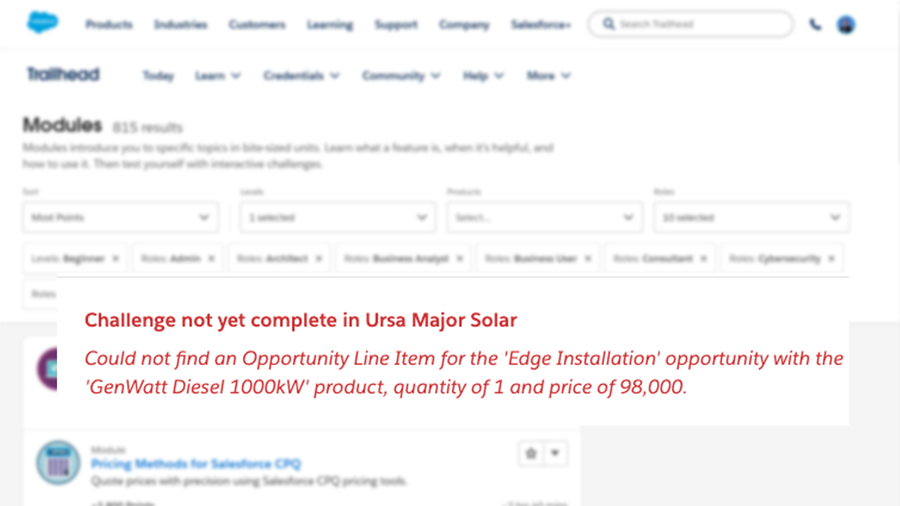
Salesforce Trailhead “Challenge not yet complete” most common causes

Ah, Spring is in the air. So are arms, as people new to Salesforce throw them up during Trailhead challenges where they can’t seem to get the hands-on part to pass even though they see the result they expect.

The Trailhead modules and Superbadges are so well organized and written, it may seem like there is an instructor reviewing you submissions, but that would not be practical, profitable, or in the spirit of a cloud platform. The scoring is done by automated tests that are checking that things match exactly as the instructions provided.

The most common cause is that the learner has mis-typed a value provided, usually the API name (i.e., my_variable__c). Runner up to this is the experienced user who is new to Trailhead and uses their own naming conventions rather than following the instructions (been there, done that).

The third common cause is that the module content was updated but the test was not (doesn’t happen that often, but you can tell when there are a bunch of questions on the Trailhead Community about the same problem).

Here’s another I often see. Some of the lessons are re-used between modules and trails, or were once in a different order. Regardless of how it got to be, the instructions may say to create a new playground when one has already been created for the module or trail, and work done previously is required to continue.

A couple of similar issues to the above I have also seen is when there are steps described in the lesson content and the challenge assumes these steps were done in the playground. Alternatively, it is sometimes not clear to new Trail Blazers that the same playground should be used throughout a given module or trail, or they inadvertently select to create a new playground or select the wrong playground. Personally, I use a collection of Developer orgs instead of playgrounds to make it easier to go back and find something I had done previously, but I don’t recommend that for most beginners.

This is not an exhaustive list. If you got through it and still haven’t seen Assessment Complete! +500 points, read through the module from the start as if you had never seen it before. Depending on your input processing style, you may want to wait a day or two. Or post a request for help on Trailhead and be sure to include a link to the lesson and module in your request. And feel free to tag @Scott S Nelson.

HTH

If you found this interesting, please share.

© Scott S. Nelson

Provide Document Feedback for Efficiency

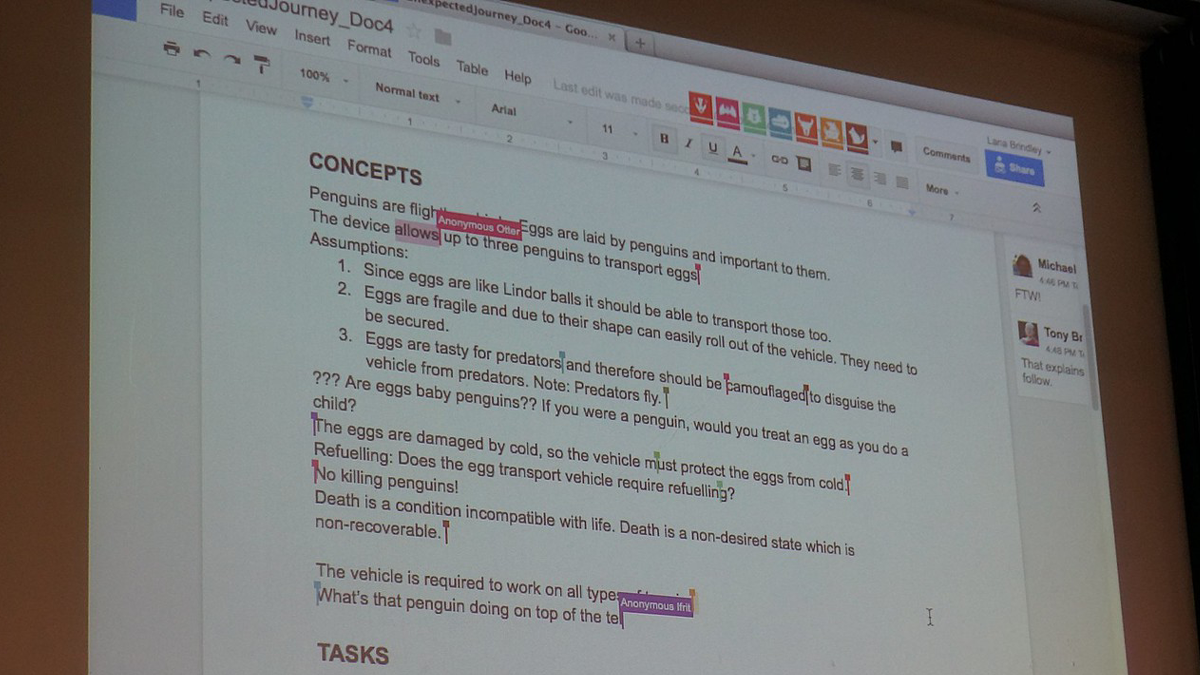
(Featured image “Collaborative documentation editing” by 4nitsirk is licensed under CC BY-SA 2.0.)

When providing document reviews with comments or track changes, most people start writing their comments as they read through. This is perfectly natural and recommended, as capturing your thoughts immediately is the best way to ensure they aren’t forgotten. That said…

As you read through the document, some of your comments made earlier may be addressed later in the document. If you think the content should be moved, this is a good time to point that out, referring back to your earlier comment. If not, take the time to move the comment to the appropriate point, or revise it accordingly.

Short-term memory varies between person to person and even context to context. A comment provide early in the doc is likely to be remembered and reference back when it discovered at the end that it was not necessary if the review is done in a single sitting or as part of a very focused project. Then again, someone stopping by to say “hi” or an IM popping up immediately after writing a comment can pop the memory out of the short term queue and only invoke vague familiarity if the concept is addressed later. Because of this unplanned and unschedulable variation in memory reliability, I suggest re-reading through all comments prior to submitting them. It will (hopefully) catch those forgotten inputs that should be revised in the context of the entire document so that the sent input is concise.

The value of concise input is two fold: It makes it easier for the person receiving the feedback to apply it where needed, and it avoids the frustration of seeing comments from a review that the author knows are not valid because they are addressed later on.

If you found this interesting, please share.

© Scott S. Nelson
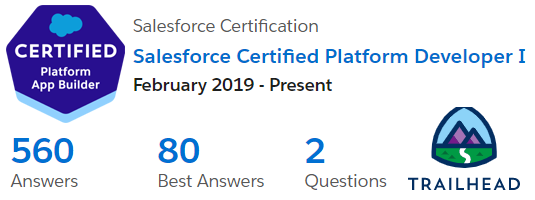
Salesforce Certified Platform Developer I

Become a Salesforce Certified Platform App Builder

This is about my journey to pass the Platform App Builder certification exam. Yours will probably vary, and I hope this article is part of it.

For me, Platform App Builder is my third Salesforce certification. I passed the Administrator exam in 2018 and the Platform Developer I certification in 2019. 2020 I was too focused on expanding the Logic20/20 Salesforce Capabilities to study for an exam.

I have admitted in the past, and will repeat for clarity here, that much of my blogging is driven by having searchable notes on how I accomplished something so that when I need to do it again I can readily remind myself of what worked. My certification posts show a pattern that is working: Work with the tool, takes a course, take a diverse set of practice exams, then do it for real. Patterns are great for planning, though the devil is in the details, and I will get to those in just a moment.

Before getting to the good stuff, it is important to note that there is a key part of the pattern that is missing from those previous post, perhaps the most critical aspect: a genuine interest working with the tool that I want to be certified in. The value of this is clear from my first certification for the WebLogic Portal (RiP). I didn’t study for it at all, I just took the exam and passed (barely). I took the exam because it was required by the company that acquired the product. I had passionately worked with it for several years, and expected passing would be easy. It wasn’t, because certification exams are more about knowing things than doing things. Doing them does help to know them, just not as much as I would have thought. Anyway, it is that interest in doing that motivates me to acquire the knowing necessary for certification.

As a mentor, I frequently hear the same concern from people that are learning something new outside of their day-to-day work: It can be difficult remembering things by only reading or hearing about them. Learning exercises are often not enough as they are structured for success and the simple step-by-step instructions become a validation in following instructions rather than an acquisition of the knowledge necessary to perform the task. One thing I had done to rapidly accelerate my abilities in WebLogic Portal was to spend an hour each morning reading the community posts and answering questions. Not only questions I already knew the answer to, but also the ones I did not, by figuring it out, validating it, and then responding. Years later, I applied this technique again after becoming an Informatica Cloud Master. As many people know, solving real-world problems helps to lock in the learning. What I learned with WebLogic and Informatica is that there a plenty of real-world problems to solve beyond my own daily work.

In the case of Salesforce certifications, I can honestly say the best study technique was getting in to the Top 10 on the Trailhead Community Answers Leaderboard.

Beyond the community participation, the App Builder certification was the first one where I did not have frequent “ah ha!” moments while taking the trainings. The first (and last…I repeated it a day before the exam) training I took was the free one Salesforce offers on their Certification Days page. It is certainly worth taking for the pattern tips of how the exam questions are structured, such as (paraphrasing) “If there is a choice that suggests anything other than a declarative approach, it isn’t that one” and “Watch out for choices with multiple parts where most are correct. They must all be correct.”

I’m still a big fan of Udemy. I am also frugal, so I enrolled in Mike Wheeler’s Salesforce Platform App Builder Certification Course during one of the frequent sales. It’s a good course, though a lot of material is dated and it gets a little annoying to hear him complain about features that have long since been improved. The course does not include a practice exam, but I have found that courses that do have few more than the number of questions on the actual exam. The problem with that, is that there are way more questions available, and each exam consists of a random set of questions (within the ratios as described in the official study guide).

The App Builder Certification is one of the more popular ones. I think this is partly attributed to it being in the “Developer” category of certifications while requiring no knowledge of coding, and partly because Salesforce heavily emphasizes that coding isn’t necessary and should be avoided. Having been a consultant for a software vendor, I understand the value of declarative solutions because it is safer for regular vendor updates. I will also say that knowing nothing about the implications of technical choices can be a huge disadvantage even if everything is done declaratively. But I digress…

The practice exam package I went with from Udemy was Salesforce App Builder Practice Test [325 Questions] WINTER’22. There is great diversity in the questions, though there are several that are the same general question with subtle differences. They are spread through 5 timed tests. I didn’t do the actual math, but I think that while the total of all questions are in the correct exam ratio (23% Fundamentals, 17% UI, 22% Data Modeling, 28% Logic & Automation and 10% Deployment), I believe only 2 of the sets are correctly spread across topics. For me, reporting is a weak other (I generally delegate that work), and I found myself failing some of the practices where reporting questions were too heavily waited.

The value of practice exams is not memorizing the answers (don’t, because they change to avoid just that). The value is in learning weak points and shoring them up with some reading or Traihead modules.

As I mentioned, the App Builder is a popular certification, and there are a lot of other offerings on Udemy for practice exams. I made the mistake of buying one several months before using it and could not get a refund. I did get a refund on another that looked really good in the description but was outdated and contained several answers I knew were wrong. There are also several free video dumps on YouTube, and I found that many were also inaccurate, besides being the wrong medium for this type of studying (at least for me).

So, to summarize:

  • Get interested in what you are studying for
  • Attend one of the free Salesforce prep trainings (you also get a discount on your exam with the training!)
  • If you don’t get to build apps often at work, go help people on Trailhead to gain practical experience
  • Pick a good training course on Udemy when it is on sale and check it right away for quality and get a refund if it sucks
  • Pick practice exam set on Udemy with lots of questions and check it right away for quality and get a refund if it sucks
  • Follow me on Trailhead (not really necessary, but you may find some interesting answers)
If you found this interesting, please share.


© Scott S. Nelson