Originally published at developer.com
As documentation goes, BEA is in my top five vendor list. It can be hard to find documentation for older versions (it’s all still there, the links are just buried), but once you find the product documentation page you’ll have a well indexed reference for most of what you need. Still, there are always those wonderful little gotchas that you will run across where the answer either came after the documentation or is something that you can do to make your life easier that the product reference team didn’t think of (or, in some cases, they thought of it but didn’t give the best answer).
In this article I want to share a few solutions I have discovered outside of the standard documentation. Some you can find on BEA’s Dev2Dev (though it might take a long time), some came from trial and error, and one came from days of pain following a the recommended path to later try almost the total opposite approach and cut my work time by two-thirds. And I am sure there are dozens (if not hundreds) of other little helpful hints, but these are the ones that I remember the most in almost three years of building many BEA Portal solutions.
You Can Get There From Here
The most cherished word to any vendor is also the most dreaded to an IT department: Upgrade. This is very near the top of my mind with BEA showcasing Aqualogic as a growing technology stack. I know that as soon as they have the Aqualogic Portal (or whatever name they are going to give it), I will have a lot of upgrades to do (and as a professional services consultant, I personally look forward to it). Based on the many job postings from BEA lately, my guess is that it will be heavily based on the Plumtree portal they bought last year. You may think I digress speaking of future upgrades in an article about the current version, but it all ties in.
The first BEA portal upgrade I dealt with was from version 7.x (really .x in this case, because I don’t recall the exact release) to version 8. Being a self-appointed member of the semantics police, I recall complaining that the project name for this process included the word migration rather than upgrade. When the dust finally settled, I retreated from my position on the project title. Version 7 is nothing like version 8 (which was the point of mentioning the likelihood of the next version being based on an entirely different product).
Being the astute engineers that are expected in professional services, the migration team went directly to the BEA site for a hint on how to handle this project. As I said in the beginning, BEA has pretty good documentation available and we immediately found a very detailed set of instructions for upgrading. I’m not going to make a big deal of what I thought about the instructions because I’m still a fan of BEA products. What I will state is that I am really, really glad that I had to migrate multiple portals or else I wouldn’t have this topic to write about.
If you ever need to move from version 7 to version 8 (and there are plenty of version 7 applications still out there), ignore the upgrade documentation. Instead, inventory your existing application and separate it into webflow portlets and non-webflow portlets. By doing this, you will save yourself hours (days or weeks, depending on the size of your application). Do read the online instructions for working with version 8 if you’re not familiar with it. Then create a brand new portal in 8 with all of the pages in Workshop. Once you have a nice, blank portal, import your non-webflow portlets one at a time. With each import, run a build. Each time you do this you’ll get a stack of errors for the methods that have changed. Take the advice of the Hitchhikers Guide to the Galaxy and Don’t Panic. Track down the compile errors and look up what that method did for you in version 7 and change it to use the version 8 method. This will get easier with each portlet, especially if you have a consistent development process because before you are done you’ll start to anticipate errors and correct them before you build. This may sound tedious, but it is a heck of a lot easier than following the proscribed path and tracking down both compile errors and functional bugs.
Now, according to all the documentation, you can port your webflows to pageflows with minimal fuss. This reminds me of the question asked by every mother all over the world: “If you’re friend jumped off a bride, would you do it to?” Instead, create a new pageflow, fire up your old webflow editor, and re-write it in pageflow format. This will get rid of the many limitations imposed on version 8 webflow support and prevent the harried calls from whomever inherits your applications asking how the heck to make a change to that monster. Again, no matter how tedious this sounds, it will be worth it in the time saved. Additionally, version 9 has no support for webflows, so following this track will leave you ready for a future upgrade. In fact, many of the work-arounds described in this article have been solved as a standard feature in version 9 (which I had not investigated prior to starting this article).
Upgrading from one version 8 Serviceicipate errors and correct them before you build. This may sound tedious, but it is a heck of a lot easier than following the proscribed path and tracking down both compile errors and functional bugs.
Now, according to all the documentation, you can port your webflows to pageflows with minimal fuss. This reminds me of the question asked by every mother all over the world: “If you’re friend jumped off a bride, would you do it to?” Instead, create a new pageflow, fire up your old webflow editor, and re-write it in pageflow format. This will get rid of the many limitations imposed on version 8 webflow support and prevent the harried calls from whomever inherits your applications asking how the heck to make a change to that monster. Again, no matter how tedious this sounds, it will be worth it in the time saved. Additionally, version 9 has no support for webflows, so following this track will leave you ready for a future upgrade. In fact, many of the work-arounds described in this article have been solved as a standard feature in version 9 (which I had not investigated prior to starting this article).
Upgrading from one version 8 Service Pack (SP) to another is not nearly as difficult, yet some caution should still be exercised. The whole versioning naming convention is misleading. Sometimes they are referred to as .release, sometimes as service pack releases. This would make you think that they made some enhancements that are major changes, and you would be thinking correctly. However, it would also lead you to believe that methods and classes may be added or improved that require no effort on your part to upgrade, and there you have the gotcha. Sometimes they replace classes and methods. Though the changes are covered in the release notes, who wants to read through all of that to find the two or three things that are specific to your application?
I have found that most of the big changes take place in the framework implementations. The easiest way to a smooth upgrade is to import everything into a new portal except your portlet and framework JSPs. Those you want to leave behind, then create new JSPs in your new portal and copy-paste all of your custom code from your original application. Workshop will color code the stuff that no longer works right away for you. Once you have hand-moved your JSPs into your new portal, run your build and track down the little changes. Then regression test and find the other quirks that may have popped up. One that occurred from one SP to the next is the relative path used for page tab icons. The quickest way to figure out where to move your reference to is to let the icon fail to show up and the view the page source to see where it is looking for it. The relative path changed from the framework to application. While this was a wise approach (especially for clustered environments) it can be daunting to figure out without knowing that a change occurred and it isn’t some bug in your port.
Write Once, Run In Any Project
Alright, this is just a quick note on a quirk of Workshop that can be annoying for those who frequently use either their own legacy code or purchase code. I’m sure most folks who have done any extensive work with Workshop have already discovered that a BEA control project has no option for adding classpaths. While I’m sure there was some good reason behind this, it’s tough to use your existing code base throughout your portal project if you can’t reference it when you need it. To get around this limitation, just make sure that what you need is in the classpath of another plain old Java project. Then set your build order so that the project with your legacy code reference is built before your control project.
This isn’t a perfect fix as you will still need to keep your various portal projects in sync if there are cross dependencies. You will also need to document this dependency in case your control project later becomes legacy code. Still, this is far more maintainable of a solution than duplicating your legacy code into your control project.
Dude, Where’s My Portlet?
Portals that are built well (or are well funded despite not having been done right the first time) will grow. If the growth of your portal requires no security restrictions on your new portlets and you manager all of your portal layouts through Workshop, you will never know that there are some quirks to how portlets are associated to a portal in the portal administration application. For the rest of us, here’s a couple of things to consider if it is early enough, and how to deal with them if it is too late.
Properties about your portal are stored in the database when you deploy it to your server. From what I can guess (I’m too lazy to look it up, so please don’t send me a flood of comments that this is documented somewhere) the portal was designed to be run from a managed server with plenty of horsepower. This makes sense, considering that useful portals will require a fair amount of resources and have a large enough base of users to require a server farm. What this means to those of us who manage portals in the wild is that time spent documenting and following a proper deployment plan will save hours (or days) of work dealing with future changes.
When deploying your portal, you want to first deploy it to your admin server before deploying to managed servers. This approach will allow the server to handle LDAP propagation automatically for you, so that new users are added to the full server farm instead of the first server you deploy to. At the time of this first deployment, your portal assets are catalogued into the database for management. If you deploy to a managed server first, the assets become frozen and future deployments will not update your portal administration application with new portlets and/or page. With this in mind, even if you will not be initially deploying to a server farm it is still a wise strategy to create a managed server environment anyway and follow the above plan.
If you are already in production and didn’t plan for this, all hope is not lost. The best approach would be to re-build your environment with a deployment plan, eliminating extra steps in the future. That said, I have seen situations where this was not practical (generally based on political rather than technical challenges). In which case, the next approach to gain access to your assets is to do the following:
First, if you have an admin server and haven’t already deployed your portal to it, do so now. If you have resource constraints you can always remove it once you have updated your database.
Next, in the portal admin console, create a new desktop and then assign your current portal to it. The new desktop should contain your new pages and portlets as the new desktop will generate the necessary database entries. Depending on the service pack you have installed you may need to re-start the server to add these assets to your original desktop. Now you can manage your new assets.
Another important thing to remember about your initial deployment planning is that in a clustered environment, you must deploy your LDAP to Admin only, so that it replicates properly across all servers. Otherwise you will frequently run into user profile issues. In the managed server environment, you will want to use your Admin deployment to make updates as all the neat stuff is there, where you have to search or type group names to find them in managed server admin consoles.
Are We There Yet?
Some portals are small, some are big, and some are gigantic. I’m not talking about users, and not necessarily functionality, but total code involved. Code bases get huge, especially if there have been upgrades or (gasp!) migrations from one platform to another. From SP 3 up, loading Workshop and running builds can seem to take forevvvvvvver as all the paths are validated and the code assists are updated. It’s the old story of do you want it easy to use or fast (pick one). The answer from everyone is: both! That’s ok. It was evolution that got you to this point and one more step will get you past it and back to fast(er) builds. The two-step trick is to first find all the legacy stuff that you aren’t using and get rid of it. Of course, most of us don’t have the time to do that, but the second step will help in that case, too. Step two is to find all the legacy stuff (preferably only what you still use) that has not changed in eons and JAR it up. JARs get stored more efficiently and only need to be referenced the very first time the environment is created. This will cut your build times anywhere from 10 – 80%, depending on how thorough you are and how honest you are.
When Java Calls for A Coffee Break
Portals are often used to consolidate disparate data sources into a single view, especially with the growing popularity and need for Business Intelligence Dashboards. With many of these views being composites of separate sources and/or accessing web services, sometimes the data for a portlet takes a long time load. Despite the modularity of a portlets at design time, at run time it all is distilled into a single web page, and a web page doesn’t load until the last line of HTML as been generated and sent to the browser. When one or more of your portlets takes too long to load, you could be inundated with complaints about your portals performance, even after having done everything programmatically possible to streamline your back end calls. How do you provide the users with what they want while not gaining a reputation for causing a traffic jam at the coffee pot? Use the old iFrame trick (aka the new AJAX trick).
iFrames for portlets (note: version 9 has built-in functionality to handle this issue and it is strongly recommended that if you used this work-around in version 8 to re-write your portal to use the out-of-the-box features available in version 9).
Faster Start Up in Development
One complaint I hear from developers is about how long it takes the application to start when developing. The default memory settings are low to be respectful of slower developer machines. It is easy to change by updating your setDomainEnv.cmd file to use your memory more efficiently. The basic setting is MEM_ARGS=-Xms96m -Xmx256m. Change this to MEM_ARGS=-Xms786m -Xmx768m and the full memory will be allocated immediately rather than growing as you need it (which is usually during start up). Keep in mind that if you have less than 1GB RAM installed, this won’t work, but then if you do have less, you need more to do any serious development. I consider 1.5 to be the minimum to be productive as a developer.
Once you are up and running, you may run into out of memory errors. While this is a good way to convince the boss to buy you an upgrade (as I did before I found the real problem), t
If you found this interesting, please share.
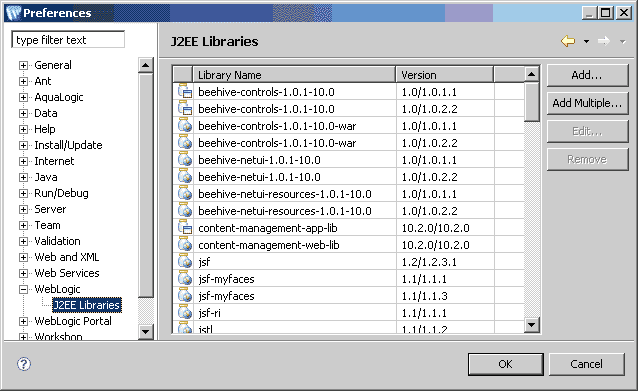
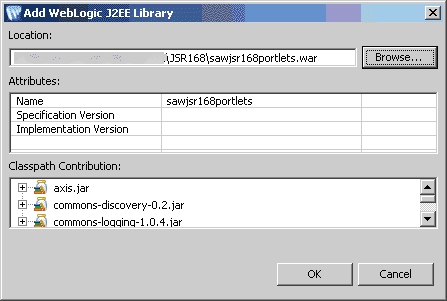
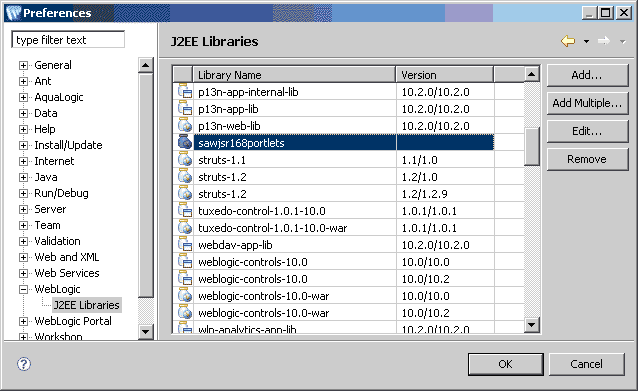
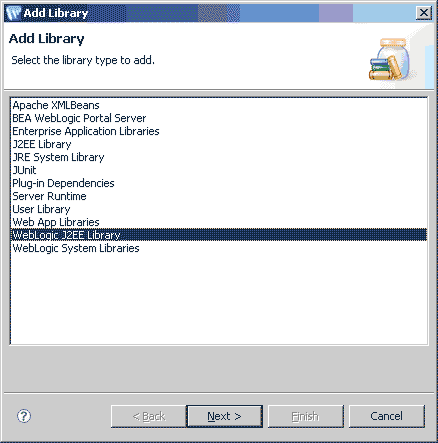
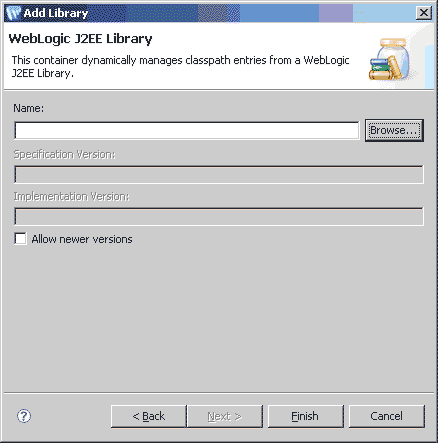
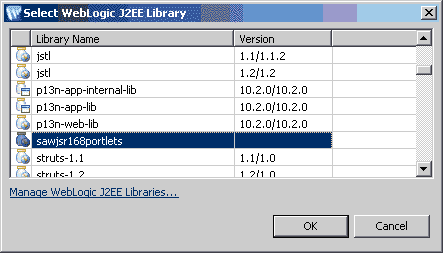
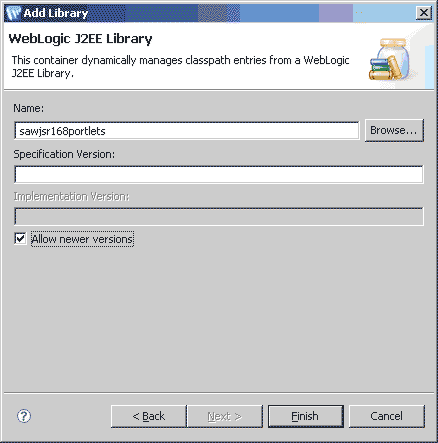
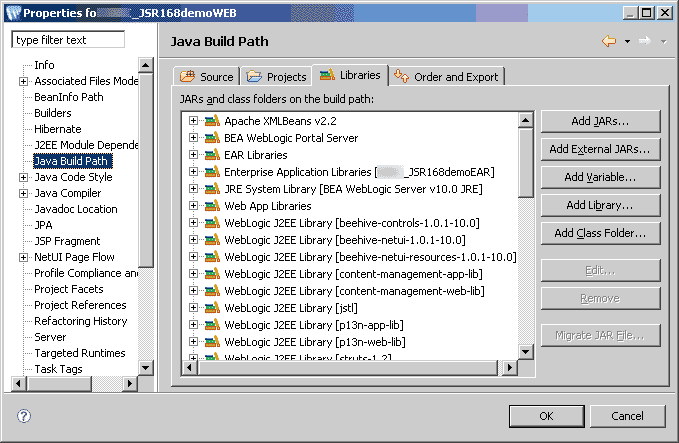 Figure 4: Add shared library to Portal project Step 1