As part of the Informatica Cloud Master Certification process, there is a series of graded labs to be performed using Address Doctor web services. The web services are very nicely documented, though I struggled for some time about why I was not able to get the initial authentication working. I made the incorrect assumption that the password used to create the dashboard login account is the same as that used for making service calls. It is not.
Perhaps it is only with the free account used for training, but the web service account password was never sent to me. Once I figured out that it was a different password, I then needed to figure out how to change it, which I will share here.
Step 1: Locate your account ID
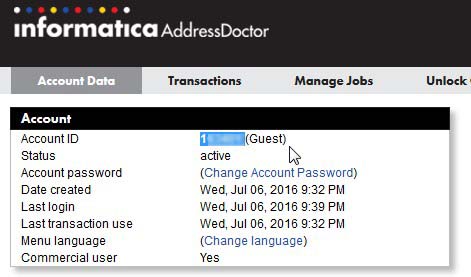
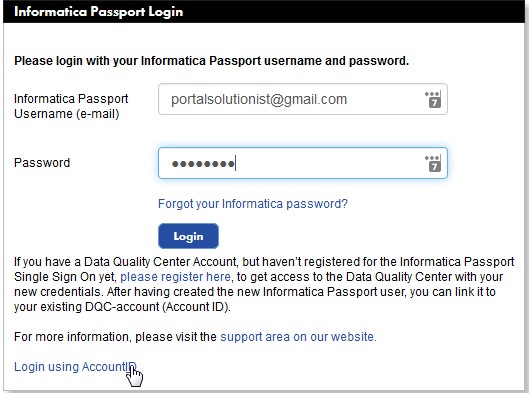
Step 2: Log out of the Data Quality Center and click the link to Login Using Account ID
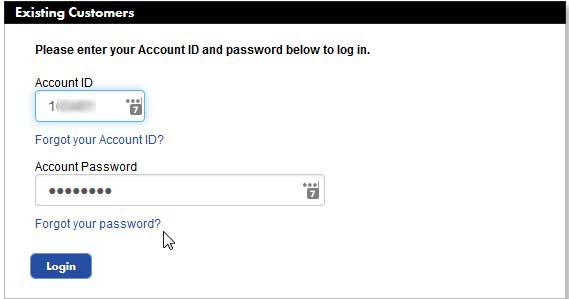
Step 3: Click Forgot My Password
Step 4: Provide the Account ID and your Email Address
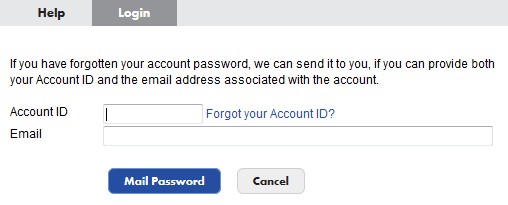
Step 6: Use the password that is emailed to you to log in and run Web Services
You can change this provide password if you like from the screen where your obtained your account ID.