SaaS Has No Box

TL;DR: SaaS doesn’t remove implementation work, it relocates it: from servers and patches to configuration, declarative automation, and the complex weaving of platform features needed to deliver an enterprise capability over custom code written against vendor interfaces. Demos can be deceiving, though not always intentionally so. More often it’s the expectation that everything you need is available “out of the box” that makes SaaS look like a magic bullet instead of just another tool that takes skill and effort to build with.

When There Is No Box

SaaS can be the perfect architectural choice for an organization that wants to focus on business value instead of unique technology capability. You don’t buy SaaS, you rent it, and that distinction is the whole point: the vendor manages refresh cycles as part of the subscription  through continuous updates instead of it landing on the organization as a project it has to fund and staff itself. Traditional software, whether licensed on-prem or custom built (even “cloud native”), doesn’t work that way. The organization owns maintaining the platform and the business functionality, which is what kills custom builds and heavily customized on-prem systems over time.

OpEx to fix something that already mostly works is chronically underfunded, while CapEx for something new gets approved, so the old system just accumulates risk until it becomes a crisis project instead of routine maintenance. And when that crisis project finally lands, it doesn’t just replace the platform, it resets the maintenance maturity the team spent years building. Admins who knew every quirk of the old system now spend the next year reskilling on the new one instead of shipping features on a platform they already understood. Commodity capability is almost always better rented than lovingly handcrafted by an internal team armed with a five-year roadmap and an (overly) optimistic estimate.

That doesn’t make the product finished on arrival. The gray area is what it takes to turn a collection of separate-but-related features into an enterprise capability: level of effort, support, and everything the demo skipped. That demo was built for the business buyer with a checkbook, not the developer with a deadline. A single capability, shown on its own, looks like a checkbox. Implementing it by wiring together ten other features, each documented as if the others didn’t exist is a different job entirely, and it’s the job nobody demos.

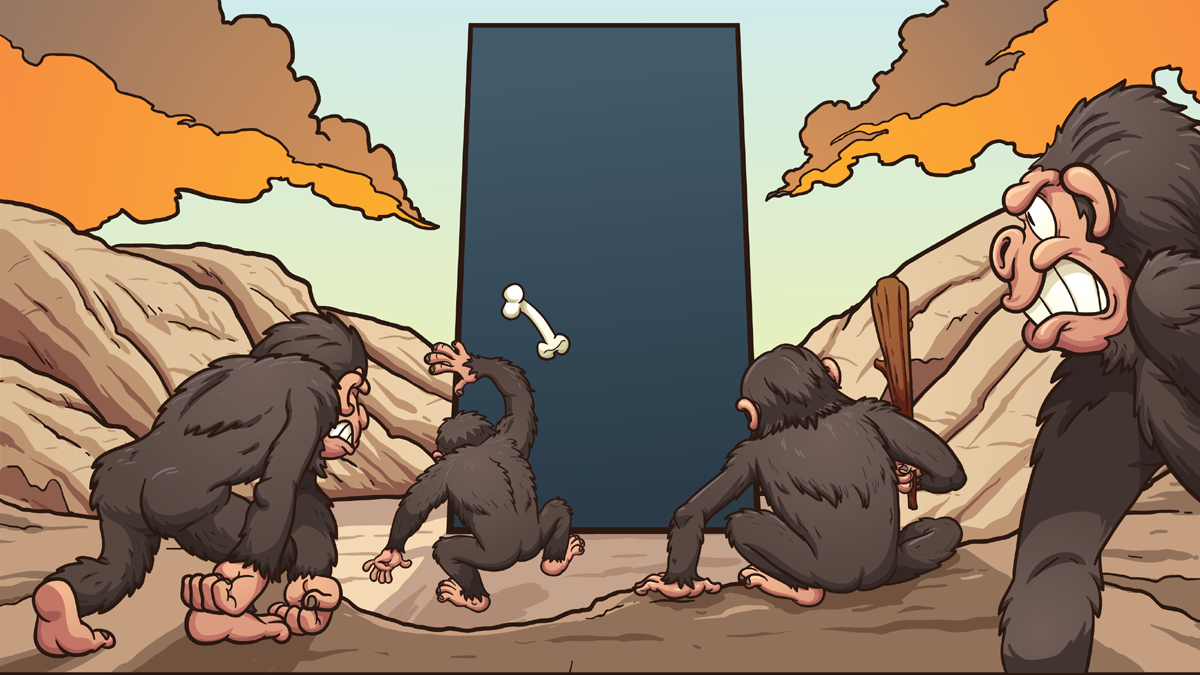
Which brings us to one of the more durable phrases in enterprise software: “out of the box.” SaaS has no box. It has a tenant, a contract, a configuration console, a few license tiers, an identity integration, and eventually a backlog. No box.

The assumption worth challenging is that SaaS is a pre-built application, so implementation is mostly a matter of switching it on. A more accurate model: enterprise SaaS is a product (and, with successful vendors, a collection of acquired, competing, products) sitting on a platform shared by thousands of other customers. The product supplies standard capabilities. The platform supplies the ways to configure, automate, extend, secure, integrate, monitor (sometimes) and govern them. Both are legitimate. They are not the same implementation problem.

While there’s no box, SaaS still delivers many of the same benefits standard software has always had over custom builds, and a small company running a fairly standardized process can get close to production-ready with limited setup. Those are the things business users are so used to that they forget to count them: security, role management, standard integrations, audit logging, backup and disaster recovery, single sign-on, and standard compliance (support) built in rather than bolted on. A department adds users, roles, approvals, reports, and a few local variations, and configuration becomes real work. An enterprise running the same product across business units, regulations, and integrations turns it into a configurable platform that needs architecture and governance, whether or not anyone wrote a line of code. “SaaS” describes all three. It is not remotely the same project in each case.

Cloud Has Changed the Meaning of OOTB

“Out of the box” used to mean a shrink-wrapped disk that installed a working application on a server you owned. Cloud didn’t kill the phrase, it’s just no more literal than dialing a phone or pasting text. The concepts are still the same, though sometimes mis-applied because the meaning has been lost in translation.

To a vendor, “out of the box” usually means the feature exists in the licensed edition, fits the product’s intended model, and can be enabled or demonstrated without a separate application. That’s an honest intent. It’s also incomplete. The platform including the building blocks is not the same as an organization putting the thing into production next week with its own data, users, policies, integrations, processes, and exceptions.

To a business stakeholder, “out of the box” often means something closer to done: complete, supported, included in the purchase, ready with minimal effort, sensible about exceptions to processes that “everyone” follows. That’s a fair expectation for a consumer app. It gets unreliable fast in enterprise SaaS, because “normal” is in the eye of the beholder (or buyer) and the vendor is thinking about a normal defined by the lowest common denominator across their entire customer base.

To an engineer or an experienced administrator, it means the capability exists, there’s probably a supported configuration path, and there may also be three licensing constraints, a technical prerequisite nobody mentioned, and a limitation that won’t surface until a user asks a perfectly reasonable question in production.

The reason those three points of view keep colliding is simple: a feature demo is a planned, orchestrated, and practiced event to showcase what a product does. An enterprise capability is the business secret sauce baked into solution that relies on twice as many features and sometimes held together by bubblegum and baling wire. One is maybe out of the box. The other never saw a box, and the instructions were in a different language for a different purpose and required a lot of creativity that often goes unrecognized.

Enterprise SaaS is less a finished solution than a pile of Legos with an incomplete picture and no instructions (but sometimes a blog post, which isn’t always going to mention the complexity required or the dozens of failed attempts that came before it). The pieces are good. Plenty fit together well. But the pieces being in the box, metaphorically, since SaaS still doesn’t have one, doesn’t tell you what to build, whether the model survives the next upgrade, or who fixes it when someone changes a foundational rule six months from now.

Take a routing requirement. In a demo: a new request comes in, gets assigned by region, triggers a notification. Simple. In production: region comes from more than one system, the request touches multiple accounts, the assigned team depends on product line and contract status, some records are role-restricted, the notification has to respect local hours, and the downstream system is occasionally down. The feature didn’t get worse. The business process just showed up. (And that is a simple scenario. Most real enterprise requirements are far more complex.)

“OOTB” is a capability statement. It is not an implementation estimate, an operational guarantee, or a substitute for architecture.

The Simpler the Configuration, the More Complex the Code It Hides

None of these categories are moral rankings. The right choice depends on fit, lifecycle, foundation stability, and whether the organization can actually own what it builds.

An out-of-the-box capability is a feature the platform supplies. It may work as-is for the standard case. It usually needs configuration, permissions, data setup, licensing, and training before it’s useful, and it may not match the current process exactly, which is often a reason to reconsider the process before reaching for a customization.

Configuration means shaping standard behavior through supported settings: roles, page layouts, field validation, reports, routing rules, approval structures, notifications, integration endpoints. Once it affects production behavior, it’s implementation work, full stop. It needs requirements, design review, test cases, deployment control, documentation, and an owner. Calling it “not development” is technically defensible in the narrowest sense. It’s also how a team ends up with 437 rules, three administrators who understand half of them, and no confident answer for what happens when a customer’s status changes. It’s the same failure mode behind a real migration where teams leaned on undocumented flexfields to hit a deadline, then paid for it months later reverse-engineering their own configuration before the migration could finish (see Agile is not Ready, Fire, Aim for more on this).

Declarative development is a platform-provided way to define logic without conventional code: workflow tools, rules engines, visual process designers, formula fields, event triggers. No-code and low-code are still code. Not usually code in the sense of someone typing a language into an editor, but they still define conditions, state changes, data dependencies, permissions, and error paths. The platform abstracts the code away from the person assembling it. It doesn’t abstract away the consequences.

That abstraction is genuinely useful, and worth being honest about both directions of the trade-off. A well-designed visual workflow lets an administrator build real automation without implementing a transaction engine or learning the vendor’s internal data-access framework. The platform absorbs a lot: runtime behavior, orchestration, retries, security enforcement, scale. That’s real value, not a small one.

The cost is that the simplified surface can hide complexity from the person changing it. A few boxes connected by arrows can represent a substantial amount of execution logic, error handling, and dependency chains. The canvas looks calm. Production tends to have other opinions, usually delivered at an inconvenient hour. This is the same pattern behind the observation that easier isn’t always faster: stacking enough simple, individually-reasonable configurations produces a system that’s simple nowhere and complex everywhere at once (Sound familiar? See 5 Considerations About Low-Code/No-Code).

That’s not a flaw to be engineered away. It’s the mechanism that makes SaaS scale in the first place. A platform flexible enough to fit a hospital system, a bank, and a mid-size distributor without three separate codebases has to carry that flexibility as complexity somewhere. The vendor pushes it down into configuration and declarative tooling instead of custom code, which is a genuine improvement. It doesn’t make the complexity optional. It just changes who has to manage it and what tools they get to do it with.

That’s the shift underneath all of this: implementation effort now defaults to weaving platform features together through configuration and declarative tooling, not to writing custom code against the vendor’s exposed interfaces. Custom development still has its place. It’s just further down the list, not the default.

Custom development covers code within supported extension mechanisms, custom applications on the platform, middleware, integration services, and specialized interfaces. It is not automatically a failure of SaaS. Sometimes it’s the right response to a genuine differentiator. Sometimes it’s less risky than an increasingly tortured declarative workaround built by someone determined to avoid writing “real” code. A five-line extension with source control, automated tests, logging, and a documented owner can be safer than a heroic visual flow nobody wants to touch because the canvas now resembles an airport terminal map. The safer default is buy-before-build: standard components first, AppExchange next, custom code only when nothing else genuinely fits (see Enterprise Salesforce Team Recipe for a longer rant on this aspect).

The distinction that matters isn’t code versus clicks. It’s whether the resulting solution can be understood, tested, secured, upgraded, and supported by whoever inherits it. Microsoft’s own guidance on low-code governance is telling on this point: it talks about guiding “both professional and citizen developers who build custom applications for business needs” (see What Is Low-Code Governance and Why Is It Necessary?). A low-code solution is still a custom application. Custom applications need roles, controls, and oversight, regardless of how few characters got typed to build them.

“Can Be Done” Is Not “Is Supported”

This is worth repeating more than once: almost anything is technically possible with enough extensions, workarounds, APIs, and questionable judgment. Whether it’s supported is a different question entirely (insert Jeff Goldblum Jurassic Park meme here).

Being supported by the vendor means the mechanism is documented, stood behind, and preserved through normal releases. Being supportable by the organization means internal teams can diagnose, test, change, and hand it off. Sustainable means the whole thing stays economically and operationally reasonable as the platform, the process, and the team keep changing. A demo answering yes to “can it be done” tells you nothing about the other three.

Undocumented API behavior, browser automation standing in for a real integration, a customization that quietly modifies vendor-delivered files, a workflow built on a feature the vendor has already announced it’s retiring, a marketplace add-on with one maintainer and an optimistic roadmap: all technically working. None of them are the same commitment as a documented, versioned extension point.

The cost and risk of “custom” depends less on the label and more on the stability of what it’s built on. A stable foundation has published APIs with deprecation notices, documented extension points, sandboxes, deployment and rollback mechanisms, and a realistic talent pool that can maintain it. An unstable one has undocumented internals, screen scraping, direct database access outside vendor guidance, fragile third-party dependencies, and configuration too tangled to inventory. A small customization on a documented extension point can have a modest lifecycle cost. A small customization on undocumented behavior can turn into a recurring upgrade project. The line count, or the number of boxes in a flow, is a weak predictor. The stability of the surface being extended is a much better one.

Standard declarative features aren’t automatically exempt from this either. Salesforce ended support for Workflow Rules and Process Builder after December 31, 2025. Existing automation can keep running. Salesforce’s own documentation puts the distinction plainly: “Your active Workflow Rules and Process Builder processes continue to run as they do today,” followed immediately by the limitation that “customer support is not available, and bugs will not be fixed” (from Workflow Rules and Process Builder End of Support). Salesforce’s own stated reasoning for the consolidation was that spreading automation across multiple tools “hampers both maintenance and innovation” (see Go with the Flow: What’s Happening with Workflow Rules and Process Builder?), which is a reasonable product decision. It doesn’t change who pays for inventorying, testing, migrating, and retraining on what got built on the old feature. “We didn’t write code” was never a lifecycle strategy.

Which is where architects earn their keep, not by vetoing low-code or routing every request through a custom-dev project, but by distinguishing product configuration from business-critical custom behavior, spotting dependency and lifecycle risk before it’s load-bearing, and asking what happens when the vendor retires the thing three years from now. The job isn’t making the solution more complicated. It’s making the complexity visible early enough that the organization can choose where to carry it.

The Ocean View Capability

Every enterprise SaaS platform has Ocean View capabilities. They look excellent from the balcony. The demo is clean, the data is cooperative, the presenter knows the route, and the integration has already been arranged. The value is obvious.

Shiny things can be dazzling, but don’t mistake them for a trick. A ninety-second demo has to compress a hard problem into something presentable, and that compression is what quietly removes the cases that would make the problem visible.

Then implementation starts, and someone asks about identity federation, field-level security, migration errors, audit history, a regional exception, an approval delegation, an API failure, and the department that’s been running its actual process out of a shared mailbox since 2014. The ocean’s still there. It’s just farther from the lobby than the brochure implied.

Vendor blogs are good for learning what a feature is intended to do. They’re written to explain a capability, not to catalog every limitation, so they lean on clean prepared data, follow the happy path, and rarely dwell on edition-specific licensing, exception handling, or recovery scenarios. A vendor blog can show that a feature exists. It rarely proves the feature fits your operating model.

Demos are orchestrated on purpose, not deceptively, just deliberately: prepared dataset, existing roles and permissions, the expected route through the workflow, integrations already wired, no duplicate records, no outages, no data-quality problems, no last-minute policy exception. That’s not fraud. It’s theater. It’s designed to explain a capability quickly, not reproduce a customer’s production environment. The mistake is mistaking a successful demo for a fit assessment.

The fix is straightforward, if less exciting than watching a polished walkthrough: ask the vendor to run the organization’s actual process with representative data, not the generic version. Require the exception path, not just the happy one. Test the real identity, role, and approval requirements. Ask what happens when an integration or automation fails. Get the licensing tier requirements in writing. Ask about support boundaries and lifecycle commitments. The best single question in the room is usually, “Show me what happens when it doesn’t work.”

Gregor Hohpe, (the definitive author on architecture, IMO) states the reality experienced architects live in more plainly than almost anyone writing about this, goes further in The Quest for Low-Code. His starting point: there’s no magic in software. Every code-reduction mechanism implies a trade-off, and the evaluation job is naming which one you’re accepting. From there his checklist gets concrete: is what’s left actually low cognitive load, or just low line-count with the complexity relocated into a jumble of custom syntax buried in quotes inside a YAML file? How does the solution evolve, is there version control, can you roll back, does it hold up past the scale of the demo? And what happens on the unhappy path, do the error messages help or just leak the tool’s internals? His three vendor exercises put that last question to the test directly: introduce an error on purpose and read what the message actually tells you, leave the room and have the vendor break the thing and debug it live, or take the keyboard yourself and see how much hand-holding it takes to build something real.

Configure Deliberately, Extend Carefully

SaaS is frequently the right call. It reduces unnecessary ownership, accelerates access to mature capability, and spares an organization from rebuilding commodity software it has no business rebuilding. Standard functionality should be the default. Sometimes the business process should adapt to a proven product model instead of demanding a bespoke replica of every legacy exception it’s accumulated out of habit.

None of that means every use case gets covered for free. The same flexibility that lets the platform serve wildly different businesses is what makes your specific business’s edge cases someone’s implementation problem, not a checkbox someone forgot to include. And custom code isn’t automatically the harder path. A clean extension against a documented interface can take less time and less risk than the half-dozen declarative features it would take to fake the same behavior through configuration. The label on the technique, code or clicks, was never a reliable way to estimate the work.

Watch for the case study that shows someone getting a complex capability working by wiring together three or four platform features. That’s real, and it’s also incomplete: what made it into the write-up is the wiring, not the weeks of trial, error, and platform-specific knowledge that came before it worked cleanly enough to demo. A capability that took a seasoned admin forty hours to get right the third time doesn’t become a ten-minute task because the polished version only takes ten minutes to watch someone build.

And the decision to go with SaaS is not where the architecture ends. A workflow assembled in a visual designer can still affect revenue, customer commitments, regulatory obligations, and a support team’s weekend. An integration configured through a menu can still fail at 2:00 AM. A field renamed without documentation can still turn next year’s migration into archaeology.

Use the standard product where it genuinely fits. Configure it with discipline, and price that discipline honestly: time, effort, and cost scale with how far the requirement sits from the common case, because the common case is what SaaS was built to solve cheaply. The more unique the business need, the more of that cost the organization carries itself, whether it ends up in configuration, declarative automation, or custom code. Treat declarative automation as software, because it is. Extend stable, documented foundations when the requirement earns it, code included. And the next time someone says a capability is available out of the box, ask the only question that actually matters: out of the box for whom?

In enterprise SaaS, nothing is truly out of the box. The capability exists. What it costs to make that capability yours, in time, effort, and risk, is an architecture decision shaped by how far your need sits from the common case, not a vendor claim and not a line item copied from someone else’s case study.


If you found this interesting, please share.

Maximize ROI with MVP

I prefer to write about things that have either not been written about previously or where I think that the value is still being missed. This article is the latter criteria, given that the term Minimum viable product was coined in 2001 (according to Wikipedia). Like many patterns and processes related to technology there is more to the use of MVP than the name implies.

Minimum is for targeted effort

The M in MVP is often misconstrued as the minimum to go to market at the start of the effort though it is more suited to the end of the effort. The definition of minimum should evolve through the life-cycle of design and development.

If you will accept that all functionality is moving something from one point or state to another, then absolute minimum is being able to get from start to finish.  So at the start of an iterative design and development process for a feature or product this should be the first goal and go no further until the results are reviewed by the product owner and/or users. Another way to look at the first value of minimum is sufficient for demonstration and discussion.

Once the absolute minimum has been achieved, then the additional criteria can be added in. The additional criteria are going to be beyond the bare minimum to accomplish the change in value or state, of which there can be many such requirements. These requirements must be prioritized by the key stakeholders and then delivered singly unless (in very rare cases) multiple requirements are inter-dependent. The reason the inter-dependency should be rare is that the requirements should be stand-alone. They may need to be done in a particular order, which should be considered when determining the priority.

In a recent design session where a new feature was required for call center users to follow a script and record responses with the script branching at points based on answers through the process, there were some participants that wanted to start from the assumption that this functionality would be re-used in other processes and start with a generic approach, even though the expectation was that any such reuse would be far in the future. It is important to acknowledge the potential for reuse and avoid approaches that will prevent it or make it overly complicated. That said, it adds nothing to the initial solution to genericize without knowing what the future requirements are. It only adds to the level of effort in producing the first MVP for stakeholder review and getting to the first production-ready MVP. In this case the difference would have been a couple of weeks in a project already behind schedule.

Viable must be based on agreement

I can think of several well-known enterprise-technology products that have a terrible user experience. For me, personally, I feel they miss being optimally viable, though I have to admit they are minimally functionally viable. That said, I’m neither the product owner nor the key stakeholder (let’s admit, that is the person paying for the license and not the actual user) and cannot honestly say whether the standards of viability were met.

The most important part about the previous paragraph is acknowledging that it is not my role to determine viability. I can (and should) provide my input about what I think is important about viability, but the ownership belongs to the product owner and (sometimes, and maybe not as often as it should be) the key stakeholders.

Another area often forgotten about viability is from the other side of the coin. The product must be maintainable. Product owners often insist on functionality that is difficult to maintain. In some cases, this is an acceptable trade-off and in other cases the maintenance cost outweighs the business value and that impacts viability from anyone’s point of view. My experience is that product owners asking for high-maintenance features generally do not know that is what they are asking for, and that often times it is the timeline more than the possible solutions that make it a maintenance issue. Delivering products using an MVP design approach is also about continuous communication between owners, designers and developers. If any one of those roles works without both giving and receiving input, the project is in peril.

Product should be plural

Because minimal is an evolving criteria and viable is the result of consensus, a single outcome, i.e., product that is shippable on the first iteration is extremely rare, with the possible exception where the product is a very simple addition to an existing product.

By willing to iterate and refactor, each version of the minimally viable product will be better until it at least reaches the level of minimum where it can be delivered.

Minimal valid postscript

Does the Minimal viable product approach described here sound like other approaches? Agile come to mind? Most good approaches have similarities. It is exceptional when they do not.

A lot of this depends a bit on “perfect world” scenarios. In the real world, sometimes the work needs to forge ahead with assumptions while waiting for stakeholder review. This is where source control management comes in to play. The important thing to remember is to not become overly-fond of assumptions as they may prove incomplete or invalid after the stakeholder review and input. This could even happen frequently with new teams, but as the product owners and producers continue to work together, the gaps will become fewer and fewer. Again, I caution to avoid complacency as those gaps narrow as they will rarely go away completely. The goal for all is the best functioning product that can be created given the capabilities available, even if that means the occasional solution refactoring.


(Originally published at InfoWorld., and I’m contractually obliged to include that statement even though the link is now dead…gotta love one-sided agreements)

If you found this interesting, please share.

Too big to survive: There is no bailout for technical debt

The only difference between technical debt and financial debt is that costs are more often known in advance when taking on financial debt. Both types of debt are a tool when used intelligently with purpose and a plan to manage it and can take a devastating toll when used recklessly or imposed through misdirection or miscommunication.

Acceptable vs unnecessary debt

The original heading here was “Necessary vs unnecessary debt”. On further reflection, though, I realized that the only good reasons for incurring debt are time drive. If time is removed as a factor there is no reasonable need for debt. So then it becomes a question of when time is important enough of a factor to make debt acceptable.  The only context I can think of where time is universally an acceptable driver for debt is in an emergency situation.

Beyond an emergency, the evaluation for whether debt is acceptable because of time becomes a value proposition. In our personal lives, the first car and house is generally considered to be a good reason to accept debt because both have a large enough cost where they are likely to become more expensive over time, making it harder and harder to save for them in a reasonable period of time.

Similarly, building in-house custom applications rather than waiting for a Common Off The Shelf (COTS) solution that will incur technical debt in minimally reviewed code and the inevitable maintenance costs is worth it for functionality that is key to business value. Having worked for software vendors, I can honestly say that it if it isn’t already Generally Available (GA) as at least a patch one then it should still be considered unavailable as a COTS solution.

The other common time driver that should generally not be an acceptable reason to take on debt is impatience. Using a home equity loan to buy the latest television is a poor financial decision and implementing a new solution without a thorough evaluation and proper training is a gamble that will usually result in higher maintenance cost or a potential system failure.

The old adage “patience is a virtue” is not only true, it is a vast understatement of the value of patience.

Stop debt before it happens

The reason technical debt is becoming an increasing concern at many companies is because it tends to grow exponentially, just like financial debt. And for the same reasons. Of the three drivers for debt mentioned previously (emergency, long-term value, short-viewed impatience), the most frequent cause is the least necessary. Impatience. Problems arising from bad habits will grow until the habit has been replaced by actions that have a more positive effect.

Without getting too psychological here, impatience is a result of either wanting very much to move towards a reward or away from loss. For some odd reason, the drive forward doesn’t seem to repeat in the same context nearly as much as the drive to move away from. In technology, the drive to move away from is so common that the three key emotions related with impatience driven by escape have an acronym: FUD (fear, uncertainty, doubt).  In the case of IT decisions all three are essentially redundant, or at least a sequence. Fear driven by uncertainty and/or doubt. When the decision is around taking on technical debt, the fear is that business owners or customers will be upset if the feature is delayed or reduced and the uncertainty and doubt are the result of either not asking these stakeholders or asking only half the question.

Asking a stakeholder “Is it a problem if feature X is not in the release?” will frequently have a different answer than “Would you prefer we include feature X in a later release or risk certain delays to all future feature releases by pushing it before we have time to include it in a maintainable manner”? My experience is that most of the time neither question is asked and it is just assumed the world will end if users don’t have access right now to a new option that only 3% will ever use. It is also my experience that when the tradeoff of reliability and stability versus immediacy is explained to stakeholders they usually opt for the delay. I know many people believe that businesses have lost sight of long term implications and I believe that in many cases it not because they are deliberately ignoring them but because the people that should tell them when and why to be cautious are afraid of saying anything that will be considered “negative”.

To summarize, the best way to reduce the accumulation of technical debt is to have open, honest communication with stake holders about when decisions involve technical debt, the consequences of that debt, and the options for avoiding taking on the debt. Then, if the decision is to still choose the right now over the right way, immediately request buy-in for a plan, timeline and budget to reduce the technical debt. Again, my experience is that when the business is presented with a request to ensure functional reliability they frequently say yes.

Getting out of unavoidable or accepted debt

Taking on some technical debt is inevitable. This is why the modifiers usually, most often, and frequently were used in the previous section rather than more-comforting-yet-inaccurate always, definitely, and every time. Even in a theoretically perfect process where business always opts for debt-free choices and emergencies never happen, there are still going to be debt-inducing choices made either from lack of information or usage of imperfect vendor releases.

In the case where the debt is incurred unknowingly, once it is discovered be sure to document it, communicate and plan for its correction. The difference with cases where the debt is taken on knowingly because it is unavoidable without a much larger cost in vendor change, monitor the item with every project and when there is a reasonable option to correct it, do it. I once had to build something that was a bit kludgey because the vendor application clearly missed an implication of how a particular feature was implemented. We created a defect in the defect tracker which was reviewed in every release. 18 months later, the vendor found the error, corrected it and we replaced the work-around with the better approach in the next release. For major enterprises it is a good idea to raise a support case with the vendor when such things are identified, which I did not do at the time because the company I was managing this application for was too small to get vendor attention and the feature was not in broad use.

Originally published at InfoWorld.

If you found this interesting, please share.

Why you need to change your monolithic architecture

In a perfect world the contents of this section belong at the end of the article, as part of a conclusion. But a key theme to this article is that there is a lot of unintentional imperfection in the world and one of those imperfections is a tendency for some to draw conclusions early, so I will start with the end and see if we can meet in the middle.

There will be people that strongly disagree with this article. There will be others that share the sense of epiphany I experienced formulating the outline, and probably more than a few who will have come to the same conclusion before this article was written.

For everyone else, I ask that you look at your own enterprise and decide for yourself if the architectural decisions that drive your IT solution are based on corporate culture more than the best way of providing business value.

The most commonly stated reasons to migrate

Skim the thousands of recent articles and community postings about enterprises adopting a new architecture or process (Microservices and DevOps are the buzzwords at the time of this writing, and I expect those will change several times before this article is no longer relevant) and the driver behind the move will generally translate with ease to one of the following:

  • Improved operational efficiency
  • Higher reliability
  • Faster time to market
  • Better support of business needs (arguably redundant to the first three items)

All of those are excellent reasons to change how things are done.  Moving from the current way of doing things to the new way of doing things will definitely yield those benefits in many (though assuredly not all) enterprises. I’ve been in this industry for over 25 years and here are some of the shifts that I have seen made for the exact same reasons:

  • Single tier to two tier architecture
  • Two tier to n-tier architecture
  • Fat client to thin client
  • Single server to redundant services
  • Redundant services to remote procedure calls (RPC)
  • RPC to Web Services
  • Thin client to app

Yes, Virginia, there are exceptions to every rule and observation

Every one of the above-mentioned shifts resulted in some level of success. And, except for the last (which I include because irony fascinates me) reflects a cultural shift towards distribution of overall responsibility, isolation of specific responsibility and increased specialization. I can already hear the exclamations of “There is an increase in demand for full-stack developers, which refutes this observation”.  I agree that more companies are looking for and hiring full-stack developers.  I have observed, with some delightful exceptions, that once the person is hired they are pushed in to some type of specialization within a couple of years (often less).

The most frequent real reasons a change is needed

There was a behavioral study done almost 100 years ago that resulted in an a concept known as The Hawthorne Effect where changes in worker conditions resulted in increased productivity resulting from the expectation of improvement rather than the change itself (my spin on the conclusions, many of which are still being debated).  When an enterprise architecture or IT process is changed, the result is similar.

There are many common examples of why a change is needed to achieve improvements, regardless of what that change is. Here are some that I have seen from working with dozens of different enterprises in several different industries.

The person that wrote that doesn’t work here anymore

My first few IT-related roles were as an FTE and a consultant for companies that were small enough where I was the sole IT resource involved. While I’m proud of the fact that some of my earliest applications are still in use over two decades later, it has dawned on me while writing this article that it may be simply because I had not learned to properly document applications back then and no one has been able to make any changes for fear of putting the company out of business.

I learned about the value of good documentation when I did my first project for a large multi-national manufacturing company, still as an independent consultant. I knew that I would be leaving these folks on their own with the application once my part was done and that people who would be hired after the project was complete would inherit the code and functionality without the benefit of any knowledge transfer meetings. At that time, I was not very unique in providing this service as part of my work. What I have learned since is that, like myself when I first started, many full-time employees either see no need to document their work or know how to.

In later years, many consultants either reduced or completely stopped providing documentation as a way to ensure more work or (to be fair) decrease costs in an increasingly competitive market.

The string that broke the camel’s back up

Even when best practices are followed in regards to simplicity and reuse for the first release of an application, by the Nth release/enhancement/bug fix the application can reach a state where attempts at any but the most minor modifications result in something else breaking. Did the team’s skill atrophy or is this a result of a less-capable team owning maintenance? No.

Fragility creeps into solutions over time because technical debt piles up. If “technical debt” is a new term for you, I strongly suggest reading up a bit on it. In short, like credit card debt, if it isn’t dealt with early and often it will increase until more effort is allocated to dealing with the problems then solutions that caused them.

A culture where identifying, documenting and correcting potential issues and enhancements identified throughout the lifecycle of projects will extend the longevity of an application’s value and reduce IT costs minimizing the frequency of technology refreshes driven by failing systems rather than adding business value.

String theory is an anti-pattern

Another heading could be “Spaghetti and hairballs”.  This driver to move is similar to the previously described scenario except it occurs at a lower level. The architecture may still resemble something that is comprehensible and even sensible, but some of the implementation code and configuration has become unmaintainable. Frequent causes of unmaintainable code are:

  • Changes in personnel with little, poor, or no documentation to reference upon inheritance.
  • Changes in personnel with plenty of documentation and no time allotted in the “project plan” to review it before diving in to the next set of “enhancements”.
  • No change in personnel and no time allotted for code reviews.
  • No change in personnel and no time allotted to address technical debt.

The common theme here is that haste makes waste. The irony is that the haste is always driven by a desire to reduce waste (or perceived waste in the form of costs associated with the activity that would have actually prevented the waste).

Growing Pains

Earlier I mentioned some of the transitions that I have experienced first-hand.  Here is the list again for context:

  • Single tier to two tier architecture
  • Two tier to n-tier architecture
  • Fat client to thin client
  • Single server to redundant services
  • Redundant services to remote procedure calls (RPC)
  • RPC to Web Services
  • Thin client to app

A side-effect of each of these is that they tended to increase the number of teams necessary to build and maintain solutions. By itself, the sharing of responsibility is a good thing. Efficiencies can be realized by having teams focused on specific areas as long as both technical and human interfaces are aligned to support the same goals. Unfortunately, cultures of competition and departmental isolation can also result from the same growth, resulting in a focus to improve efficiency at the expense of the original goal.

Your true story here

I would be flabbergasted if I have exhausted the causes here and would really enjoy it if you were to add your own experiences in the comments section for inclusion in future revisions of this article.

How to delay the changes until they are needed

The phrase “Wherever you go, there you are” applies just as aptly to migrating from one IT solution set to another as it does to trying to leave your troubles behind by relocating. If all of the bad patterns come along for the ride, the new will surely resemble what was just left behind sooner or later.

To be both fair and clear, most (if not all) of the common issues enterprises face today that drive them to move to a new platform to resolve their issues did not crop up because someone deliberately sabotaged the processes…they came about because the intention behind a move in the right direction at some point was forgotten and only the motion was left.

Documentation started falling by the wayside driven by two trends. The first was more intuitive user interfaces that required minimal or no documentation. This was a great idea with the best of intentions. However, some of the results of this trend are not so great, usually with the end users being the ones to suffer. There were many open source projects that ditched documentation by initially simplifying the interfaces. As the projects became popular, books, paid consulting and blogs with advertised were much more lucrative than documenting the more complex version. Since people were used to the software not having documentation (because it originally didn’t need it), this became acceptable.

Within the enterprise, the adoption of Agile practices and the philosophy of documentation being no more than necessary eventually evolved into little or no documentation both because the skills to properly document became atrophied and budget-pressured management convinced themselves it was no longer needed. While I am probably the most vocal about documentation problems resulting from fractionally resembling Agile (frAgile for short), there have been many long-standing Agile proponents who have recently been calling BS on how enterprises have claimed to adopt Agile and are actually destroying it by calling what they are doing Agile (or Extreme Programming or Scrum, etc.). Two example posts are The Failure of Agile and Dark Scrum.

Ideally, make it part of your project process to capture opportunities for improvement and document any technical debt knowingly incurred. Additionally, make it part of your SDLC to review the backlog of technical debt and technical enhancement recommendations at the start of project planning and make it mandatory to budget it reducing some level or debt and/or including some improvement.

Alternatively, what I have done for most of my consulting career is to keep a running catalog of such items throughout the project. Towards the end I will assemble my notes into a single document (occasionally happily checking off items that were addressed before project completion) as a handoff to management at the completion of each project.  Later, I would re-circulate the document prior to any follow-on projects.

I’m optimistic enough to expect that there will eventually come a time when this article is no longer relevant, and cynical enough to doubt that it will happen in my lifetime. The way I cope with this is to do things as best I can with the resources I can muster and continue to write articles like this to remind people that technology was supposed to make things simpler and easier so that we could spend time focusing on more interesting problems. Please share your coping mechanisms in the comments section.

Originally published at InfoWorld.

If you found this interesting, please share.
Piggy bank with a life preserver

5 Approaches to lower enterprise technology costs

At the same time that everyone is talking about digital transformations there is demand from the boardroom to lower spending on technology. On the surface, these two goals appear to be mutually exclusive. How can innovation and transformation be carried out with a reduced budget? Here are some approaches that can help resolve the paradox.

Create a contract between business and IT

Everyone agrees that IT and Business must work together to improve operational efficiency and profitability. If you only read business-focused or technology-focused publications, you probably thing everyone is doing this and wonder what is wrong in your organization where you are not seeing the benefits of such cooperation. One reason for this perceptual disconnect is that in many organizations only one side of the equation considers they are working together. In actuality, that side is dictating capabilities to the other side and calling it cooperation. If there are frequent conversations in the enterprise about the same issues occurring over and over again, this is a good sign the cooperation is one-sided.

A contract spells out the responsibilities of both parties and details the necessary interactions that must occur to ensure those responsibilities can be met and the corrective measure to take when they are not. The contract between IT and Business will be unique in every organization with some common items included such as:

  1. Both parties must be present when goals are finalized and that all goals have a clear definition of achievement.
  2. The path to goals are steps, not leaps, and a cadence of interaction for the purpose of reviewing progress and refining expectations and understandings must be set before pursuit of the goal begins.

Double the project budgets

Sure, this is about cost-cutting, so how could doubling project budgets help that? Because two of the most common technology costs are the increase in spending as the project nears the scheduled completion date and the resources necessary to maintain an under-funded development effort in production. By doubling the budget up front inefficient uses of funding will be reduced or eliminated. Providing bonuses for coming in under budget coupled with adequate funding up front will both motivate and enable IT teams to reduce costs.

Leverage professional consulting services

Companies that reduce their consulting costs rarely see a corresponding reduction in overall IT spending. Yes, consultants cost more per hour. This is because they absorb the expenses of recruiting, training and managing highly-skilled specialists. This is not to disparage the recruiting, training and management capabilities within an organization. It is about the focus of those efforts. Within an enterprise, the highly-skilled are need for operations and tactical projects. If they are focused on strategic projects they will either not be able to properly perform maintenance or they will be rushed in their development efforts. Similarly, contracting individual resources to fill in the gaps on either side is a risk because the individual contractors are not used to working together as a team and are motivated to focus only on the short-term. The highest cost for consulting services is acquiring new business, which is a driver for the consultants to provide long-term value. Also, consulting companies have teams that deal with the new and strategic all the time and bring experience acquired from multiple enterprises.

The key to benefiting from consulting is to determine what your needs are up front and ask for references that can vouch for those capabilities. When considering your needs, do think about the ability to work across business and IT as well as skill and willingness to train your personnel in post-implementation maintenance. You should also understand that hiring a consultant is not like hiring a contractor. Where sourcing a contractor, seek out one with specific experience in your exact planned solution, consultants are experienced in dealing with early adoption and rapidly absorbing new technologies. The key thing your consulting partner needs to be experienced in is multiple solutions with similar technologies and challenges.

Promote from within

Another common theme in IT is the high cost of recruiting and dearth of qualified candidates. If (as an example) it costs $40,000 to recruit and train a new architect and the position turns over on average every three years, a $10,000 raise or bonus every year will still cost less and the architect will become increasingly more efficient within the organization as they have a deeper understanding of how things work.

Iterative road maps

The lure of going all in on new technologies, architectures and services is the same as that of playing the lottery or betting on a slot machine: the media and advertiser only show you pictures of the winners. Granted, the odds of succeeding within an enterprise though innovation are better than most gambles, but enterprise technology should be managed more like an investment portfolio than a gambling budget. Compare opportunities by their potential return. Balance your investments between levels of risk. Build on success and knowledge. In IT, this equates to doing a cost-benefit analysis on IT projects then staring with a proof-of-concept or pilot program and then only change existing assets when it is profitable or practical to do so.

Originally published at InfoWorld

If you found this interesting, please share.